





























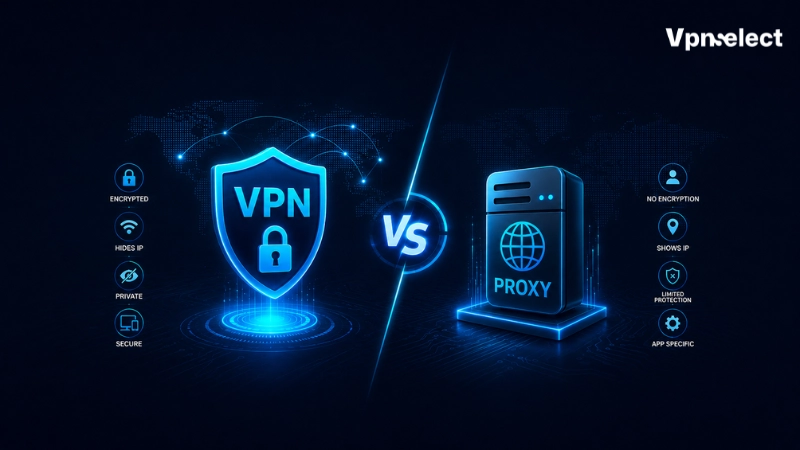
Proxy vs VPN are two technologies that help you hide your IP address and improve online privacy. A proxy routes your internet traffic through an intermediary server, often for specific applications, while a VPN encrypts all traffic from your device, offering stronger security.
Each option has unique benefits depending on your needs. In this blog, we will explain how they work, who can benefit from them, and how to choose the right tool to secure your connection, manage your online identity, or control traffic efficiently.
Proxy vs VPN: The Main Differences That Matter
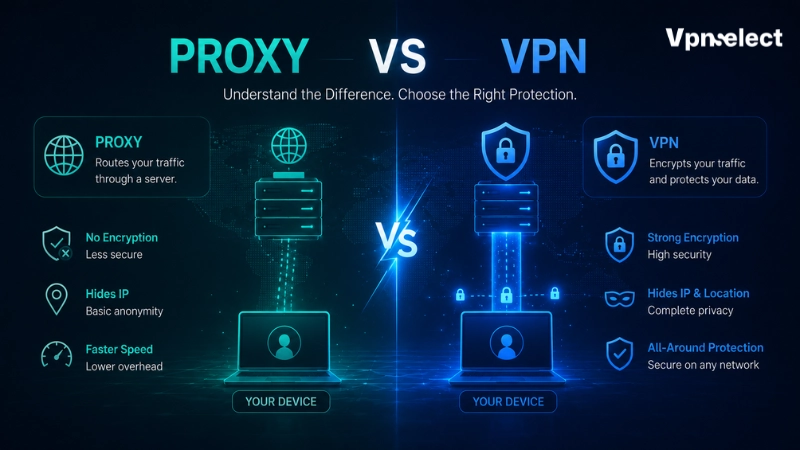
Proxies and VPNs both act as intermediaries between your device and the internet, but they operate differently. A VPN works at the system level, encrypting all traffic, while a proxy usually handles traffic for a single application without full encryption.
|
Feature |
Proxy | VPN |
|
Encryption |
Usually none | Strong, end-to-end encryption |
|
Security |
Minimal | High, protects data on public networks |
|
Privacy |
Hides IP for specific apps | Hides IP system-wide, prevents ISP tracking |
| Speed | Fast (no encryption overhead) |
Slightly slower due to encryption |
| Device Coverage | Application-specific |
Entire device |
| Setup Complexity | Easy |
Moderate |
| Common Uses | Lightweight location switching, IP rotation |
Secure browsing, public Wi-Fi, full privacy |
This table helps you see the main trade-offs between a proxy and a VPN, making it easier to decide based on your security needs, speed requirements, and device usage. For a detailed exploration of VPN resources, you can check VPN resources.
Security and Encryption
VPNs provide full encryption for all internet traffic, keeping your data safe from hackers and surveillance, especially on public Wi-Fi. Proxies, on the other hand, mainly route traffic without encrypting it, so information sent through a proxy can still be intercepted.
Understanding this difference is key when deciding between Proxy vs VPN for secure online activities. For more on comparing options, see our guide on which is better.
Privacy and Online Visibility
Both proxies and VPNs hide your IP address, but a VPN offers stronger privacy. With a proxy, websites, ISPs, and local networks can still monitor some traffic. VPN encryption limits what others can see, giving you more control over your online activity. This is an important factor to consider when choosing between Proxy vs VPN.
Traffic Coverage and Application Support
VPNs secure all internet traffic on your device, including browsers, apps, and background services. Proxies usually only work for specific applications, like a web browser or a scraping tool, leaving other traffic exposed.
When comparing Proxy vs VPN, this difference affects how broadly your traffic is protected. You can also see VPN and smart DNS comparison to understand traffic coverage differences.
Speed and Performance
Proxies tend to be faster because they skip encryption. VPNs may slow connections slightly due to encryption overhead, but modern VPNs minimize this, so most users notice little difference in everyday browsing. Speed is another key factor to weigh when choosing between Proxy vs VPN.
IP Management and Location Control
Proxies offer more control over IP addresses, including rotation and precise location targeting. VPNs provide a single IP per connection, which is useful for general location masking and secure browsing across all apps.
This distinction is important when deciding between Proxy vs VPN based on your IP management needs. Learn more about what is VPN port forwarding to understand how VPNs handle IP routing.
How to Choose Between a Proxy and a VPN
Understanding your specific needs makes it easier to decide between Proxy vs VPN. Each tool has strengths depending on your goals, so let’s look at the situations where one option is better than the other.
When Should You Use a Proxy?
A proxy is ideal for targeted, high-speed traffic routing for specific applications. Use a proxy in these cases:
- Managing frequent IP changes for automated web data collection.
- Changing your regional location in a single browser for testing or viewing location-specific content.
- Rerouting traffic from specific apps while keeping your main connection fast.
- Bypassing simple regional content filters on devices with limited processing power.
When Should You Use a VPN?
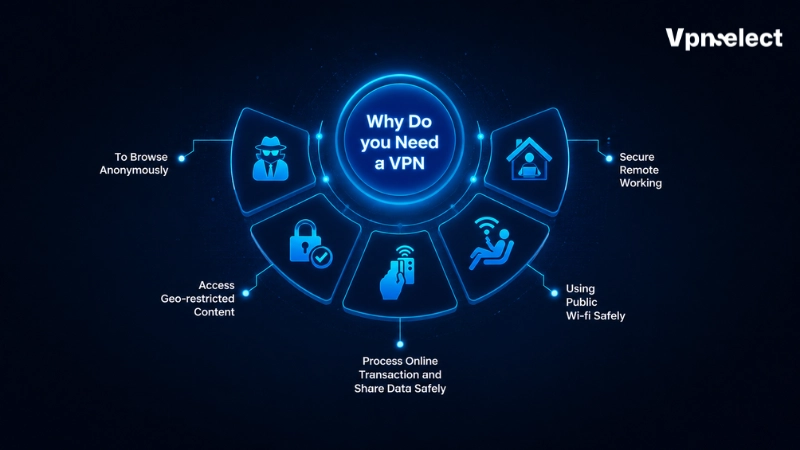
A VPN provides a fully encrypted connection, protecting your data and device-wide traffic. Choose a VPN in these situations:
- Connecting to shared public networks in cafes, hotels, or airports.
- Securing financial transactions, business communications, and personal accounts from interception.
- Encrypting all internet activity on your device, including background apps and system updates.
- Hiding your web activity from local ISPs or network administrators.
By understanding the strengths of each, you can choose the right tool when comparing Proxy vs VPN for your security, privacy, and performance needs.
Can You Use a VPN and Proxy Together?
It is technically possible to combine Proxy vs VPN by routing a VPN’s encrypted tunnel through a proxy server. This creates multiple layers, making it harder for anyone to trace your network activity from the tunnel’s exit point. You can learn more about VPN tunnel and proxy tunnel for multi-layer setups.
However, using both together adds complexity and can significantly slow your connection. For most users, a single high-quality VPN or proxy provides sufficient privacy and security without sacrificing speed or performance.
How Proxies and VPNs Affect Your Online Privacy
Understanding the limits of Proxy vs VPN helps set realistic expectations about online privacy. Let’s see what different parties can still detect when you use these technologies.
What Websites Can Still See
Changing your IP address does not make you invisible. Websites can track many digital markers, including browser settings, cookies, installed extensions, and unique device fingerprints.
If you log into an account while connected, the website links your activity to your identity. Using a proxy or VPN can hide your location, but it cannot prevent techniques like browser fingerprinting from tracking your actions.
What Internet Service Providers Can See
Your ISP’s visibility depends on how you connect:
- Normal Connection: Tracks all websites you visit, unencrypted requests, and timestamps.
- Basic Proxy: Sees the proxy server’s address and any unencrypted traffic passing through.
- VPN/Encrypted Tunnel: Only sees a single encrypted connection to the VPN server; all browsing details are hidden.
An encrypted VPN tunnel is the most reliable way to prevent your ISP from monitoring your browsing habits.
What Network Administrators Can See
Local network managers at workplaces, schools, or public Wi-Fi can monitor traffic to protect network security. With a basic proxy, they can read unencrypted requests and see which sites you visit.
A VPN hides your activity completely. Admins can tell that your device is using the network but cannot see the websites or services you access.
Common Privacy Misconceptions
Many people confuse Proxy vs VPN security with complete online anonymity. Encrypted tunnels protect your data in transit, but they cannot prevent you from sharing personal information or downloading unsafe files.
True privacy requires combining VPNs or proxies with secure browsers, ad and tracker blockers, and careful online behavior. These tools protect your data, but they are not a substitute for responsible internet use.
Proxy and VPN Safety Risks to Know
Using low-quality or free privacy tools can put your digital workspace at risk. Choosing an unreliable provider may compromise the very data you aim to protect. Understanding the main threats helps you make informed decisions when comparing Proxy vs VPN.
|
Risk Category |
Free Proxy Services | Low-Quality VPN Providers |
|
Data Logging Practices |
High risk of tracking, collecting, and selling user activity logs | May record connection times and source network details |
| Traffic Modification | Can inject ads or malicious scripts into unencrypted web pages |
Rare, but weak protocols may leak data unexpectedly |
| Infrastructure Stability | Frequent connection drops and unstable servers |
Overcrowded servers cause slow speeds, especially during peak hours |
Free or low-quality services often monetize your traffic, making your personal browsing data the product. Reliable Proxy vs VPN providers invest in secure infrastructure to maintain privacy, stability, and speed. You can also visit VPNSelect for more recommendations and service reviews.
Final Thoughts
Choosing between a proxy and a VPN comes down to balancing raw speed against complete data security. Intermediary routing proxies are perfect for fast, application-specific location shifts and automated tasks.
Virtual private networks provide essential system-wide encryption that keeps your personal data safe on public networks. We recommend evaluating your security needs first to choose the tool that keeps your digital environment safe and efficient.
FAQs
Can websites detect proxies and VPNs?
Yes, websites can identify connections coming from proxies or VPN servers, though the level of detection varies.
What does Netflix mean by “VPN or proxy detected”?
It means Netflix has recognized traffic coming from a VPN or proxy and may block access to content based on your original location.
What is a VPN or proxy on Netflix?
It’s a tool that hides your IP to access content from other regions. Netflix may block some VPNs or proxies.
Is a VPN just a proxy?
No. A proxy only routes traffic for certain apps, while a VPN encrypts all device traffic for better privacy.
What is a VPN proxy server?
It’s a server that combines proxy routing with VPN encryption, giving location masking and security together.


Leave a comment