






























Millions of people download free VPNs every year hoping to protect their online privacy – but is free VPN safe to use in the first place? The short answer is no, most free VPNs are not safe. Behind the promise of zero-cost protection, many free VPN providers quietly log your data, inject ads into your browsing sessions, and even sell your bandwidth to third parties. This guide breaks down the seven most critical free VPN risks you need to understand before trusting one with your personal information. Whether you are looking for a safer alternative or trying to evaluate your current provider, the sections below will help you make an informed decision.
Is Free VPN Safe to Use?
No – the majority of free VPNs are not safe to use because they rely on monetizing user data instead of subscription fees. Here is why that matters.
Running a VPN service requires servers, bandwidth, maintenance, and engineering. Paid VPN providers cover these costs through subscriptions. Free VPN providers, on the other hand, need a different revenue stream. That stream often comes directly from you – your browsing data, your screen real estate, and sometimes even your device’s processing power.
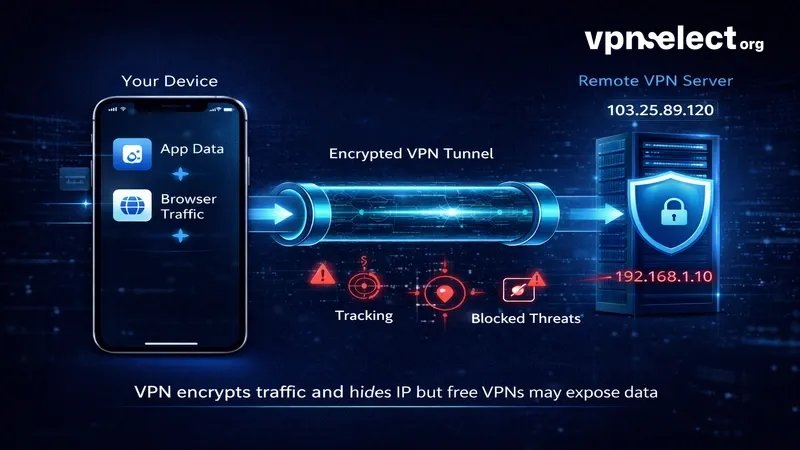
A 2017 study by Australia’s CSIRO found that 75% of free VPN apps on the Google Play Store contained at least one tracking library embedded in their code. Nearly 40% of those apps contained some form of malware. These numbers reveal a fundamental conflict of interest: a service designed to protect your privacy is, in many cases, actively undermining it.
This does not mean every free VPN is dangerous. A small number of reputable providers offer limited free tiers funded by their paid plans. But the vast majority of free VPN risks fall into seven categories that every user should understand before downloading anything.
7 Hidden Risks of Free VPNs
There are seven major risk categories that make most free VPNs unsafe, ranging from data exploitation to direct security threats. Each one represents a different way your privacy can be compromised.
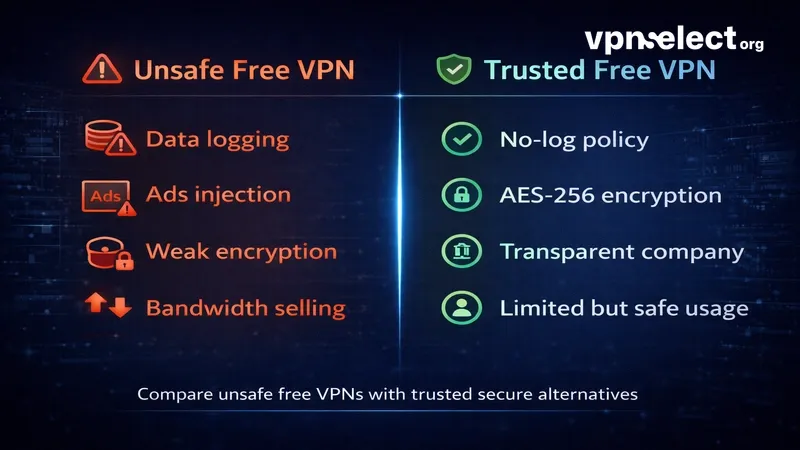
Data Logging and Third-Party Selling
The most common free VPN risk is data logging. Many free providers record your browsing history, IP address, connection timestamps, and even the websites you visit – then sell that data to advertisers, analytics firms, or data brokers. This directly contradicts the purpose of using a VPN in the first place.
Some providers bury this practice deep in their privacy policies using vague language like “we may share anonymized usage data with partners.” In reality, that data is often detailed enough to identify individual users. If you are wondering whether free VPN is safe for private browsing, the answer depends entirely on whether the provider logs your activity – and most free ones do.
Malware and Spyware Injection
Free VPN apps are a known distribution channel for malware. Researchers have documented cases where free VPN downloads bundled trojans, adware, and spyware directly into the installation package. Android users are particularly vulnerable because many free VPN apps on third-party stores bypass Google’s security screening entirely.
Once installed, this malware can monitor keystrokes, steal login credentials, or silently redirect your traffic through malicious servers. The VPN appears to work normally on the surface, making detection difficult without dedicated security software.
DNS and IP Address Leaks
A VPN is only as useful as its ability to mask your real IP address and encrypt DNS queries. Many free VPNs fail at both. Without proper leak protection or a kill switch, your actual IP address and the domains you visit can leak through to your ISP or anyone monitoring the network.
You can test this yourself using tools like dnsleaktest.com while connected to your VPN. If your real IP or your ISP’s DNS servers appear in the results, your free VPN is not protecting you at all. This is one of the most overlooked free VPN risks because the app still appears to be functioning.
Aggressive Ads and Browser Hijacking
Since free VPN providers need revenue, many resort to injecting advertisements directly into your browsing sessions. This goes beyond simple banner ads. Some providers modify HTTP traffic to insert pop-ups, redirect search queries through affiliate networks, or even change your browser’s default homepage without consent.
This behavior degrades your browsing experience and introduces additional security risks. Injected ads can carry malicious payloads, and redirected traffic passes through servers you have no visibility into.
Bandwidth Harvesting and Botnet Abuse
One of the more alarming risks involves providers selling your unused bandwidth. The most documented case is Hola VPN, which routed its paying customers’ traffic through free users’ devices via a commercial service called Luminati (now Bright Data). Free users effectively became exit nodes, meaning their IP addresses were used for other people’s web traffic – including potentially illegal activity.
This means your home IP address could appear in server logs for actions you never took. When evaluating whether a free VPN is safe, this scenario alone should be a dealbreaker.
Weak or Missing Encryption
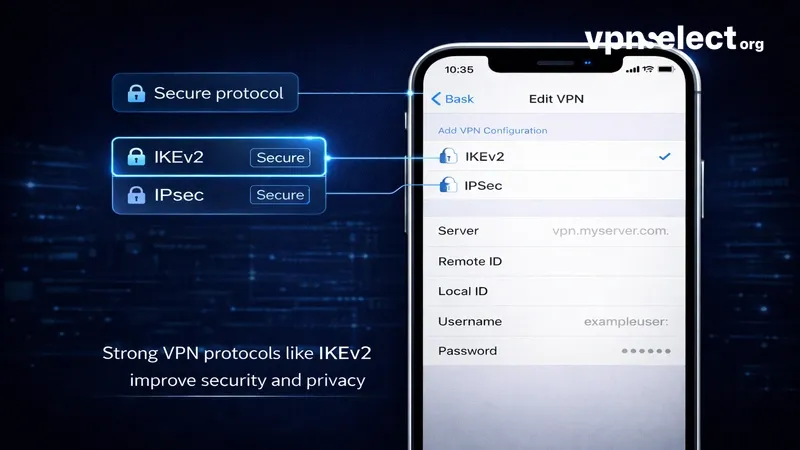
Encryption is the technical foundation of any VPN. Reputable providers use AES-256 encryption combined with modern protocols like WireGuard or OpenVPN. Many free VPNs, however, use outdated protocols such as PPTP – which has known vulnerabilities – or skip encryption entirely, offering only IP masking without actual data protection.
On public Wi-Fi networks, weak encryption leaves your data exposed to anyone running packet-sniffing tools on the same network. The VPN creates an illusion of security while providing almost none.
Excessive App Permissions on Mobile
Free VPN apps frequently request permissions far beyond what a VPN needs to function – access to your camera, contacts, phone state, location, and storage. These permissions allow the app to collect data that has nothing to do with routing your internet traffic.
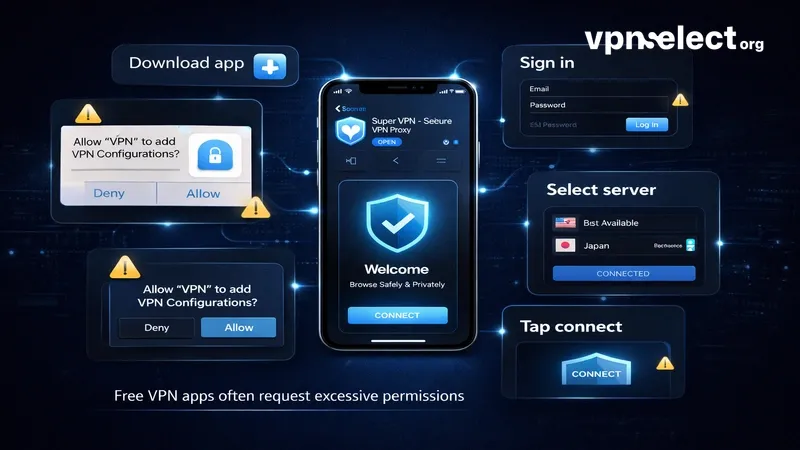
Before installing any free VPN, check its permission requests. A legitimate VPN needs network access. It does not need to read your contacts or track your GPS location. Excessive permissions are one of the clearest red flags that an app is designed to harvest data rather than protect it.
Which Free VPN Is Safe to Use?
A small number of free VPNs are safe to use, but only those backed by transparent companies with audited no-log policies and strong encryption standards. Knowing how to pick the right VPN starts with understanding what separates a trustworthy free tier from a data-harvesting operation.
The safest free VPNs share several traits: they are offered by established companies that fund the free tier through paid subscriptions, they publish regular transparency reports, they use AES-256 encryption with modern protocols, and their privacy policies have been verified by independent auditors. Proton VPN’s free plan, for example, operates under Swiss privacy laws and has passed multiple third-party security audits – which is why it consistently appears on lists of the best free VPNs available.
Windscribe is another option worth considering, offering 10 GB of monthly data with a clear privacy policy and strong encryption. However, every free plan comes with trade-offs: fewer server locations, slower speeds, limited device connections, and no access to advanced features like streaming unblocking or ad filtering.
The key question is not just “is free VPN safe” but “is this specific free VPN safe?” – and the answer requires checking the provider’s track record, jurisdiction, audit history, and revenue model before you install anything.
How to Tell If Your Current VPN Is Safe
Evaluating your current VPN’s safety requires checking five specific areas: its logging policy, encryption standards, leak protection, app permissions, and company transparency. Here is a practical breakdown.
Quick Safety Checklist for Any Free VPN
Use this checklist to audit any free VPN you are currently using or considering:
- No-log policy verification. Check whether the provider’s no-log claims have been verified by an independent auditor. Unaudited claims are marketing, not guarantees. Providers like Proton VPN have published audit results – if yours has not, treat the claim with skepticism.
- DNS and IP leak test. Visit dnsleaktest.com or ipleak.net while connected to your VPN. If your real IP address or your ISP’s DNS servers appear, the VPN is leaking your data.
- Encryption protocol check. Confirm your VPN uses WireGuard, OpenVPN, or IKEv2. If it runs on PPTP or does not specify the protocol at all, your traffic may not be encrypted.
- App permissions review. On mobile, go to your device settings and check exactly what permissions the VPN app has been granted. Revoke anything unrelated to network access.
- Company background search. Look up the company behind the VPN. Check its jurisdiction, ownership history, and whether it has ever been involved in data breaches or controversies. A detailed VPN Guide from a trusted source can help you navigate these details efficiently.
Red Flags That Mean You Should Stop Using Your VPN
Some warning signs require immediate action. If your free VPN exhibits any of the following, uninstall it:
- The app shows ads inside your browser that were not there before connecting.
- The privacy policy is missing, vague, or states that data “may be shared with partners.”
- The provider is headquartered in a jurisdiction with mandatory data retention laws and provides no transparency report.
- Connection speeds drop dramatically while ads or pop-ups increase – a sign your bandwidth may be sold.
- The app requests access to contacts, camera, or location data.
If even one of these applies, your VPN is likely doing more harm than good. Replacing it with a verified, audited option is the safest next step.
Understanding free VPN risks is the first step toward protecting your privacy instead of accidentally compromising it. Most free VPNs monetize your data, weaken your security, or both – but a small number of audited, transparent providers offer genuinely safe free tiers. The key is knowing what to look for: verified no-log policies, strong encryption, minimal permissions, and a clear revenue model that does not depend on selling your information. For more in-depth VPN comparisons, safety guides, and recommendations tailored to your needs, visit VPN Select – your go-to resource for making smarter, safer VPN choices.


Leave a comment