































Many people open a private browser window and assume their online activity is hidden. Others connect to a VPN and expect their browser history to disappear. Both ideas miss an important difference: VPN and Incognito Mode protect different parts of your privacy.
Incognito Mode helps reduce traces left in your browser after a private session ends. A VPN protects the connection between your device and a VPN server and masks your original IP address from the sites you visit. Understanding that difference helps you choose the right tool, or decide when using both makes sense.
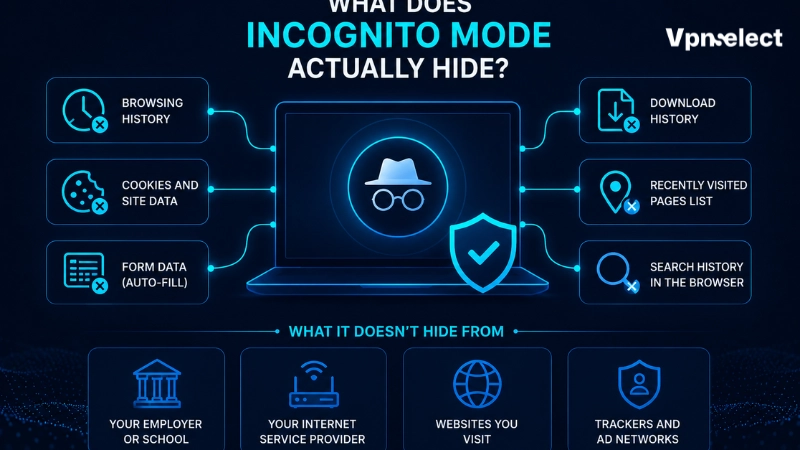
Quick Answer: Is Incognito Mode the Same as a VPN?
No. VPN and Incognito Mode are not the same tool, and neither replaces the other.
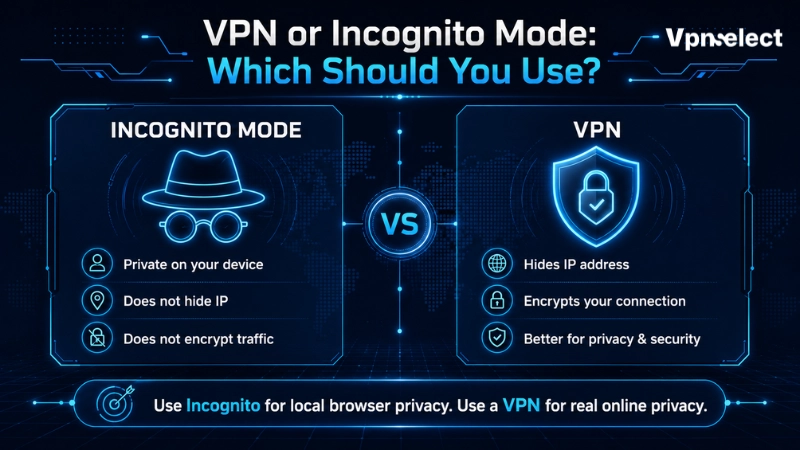
Incognito Mode, also called Private Browsing in Firefox and Safari or InPrivate in Microsoft Edge, is mainly designed for local privacy. It generally prevents the browser from keeping the session’s browsing history and removes temporary cookies and site data after all private windows are closed. It is useful on a shared computer or when you do not want a search session stored in your usual browser history.
A VPN works at the network level. When you connect to a VPN server, your internet traffic travels through an encrypted VPN tunnel before reaching websites and online services. Websites usually see the VPN server’s IP address rather than your original IP address. However, a VPN does not automatically remove browser history, saved downloads, bookmarks, cookies outside private browsing, or activity tied to accounts you sign into.
For VPN and Incognito Mode, the simple answer is this: use Incognito Mode to reduce local browser traces, use a VPN to protect network-level privacy, and use both when you need both protections at the same time.
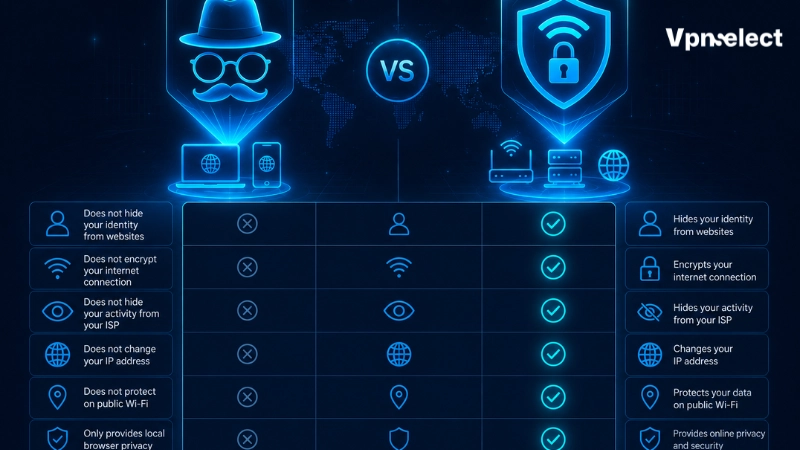
VPN and Incognito Mode Compared
|
Feature |
Incognito Mode | VPN |
|
Stops the browser saving session history locally |
Yes, after the private session closes | No |
|
Removes temporary private-session cookies or site data |
Generally yes | No |
|
Hides your original IP address from websites |
No | Yes, while connected |
|
Encrypts traffic between your device and a VPN server |
No |
Yes |
| Helps on a shared computer | Yes |
Limited |
| Helps protect connection privacy on public Wi-Fi | No |
Yes |
| Stops all online tracking | No |
No |
| Can be used at the same time | Yes |
Yes |
The central difference between VPN and Incognito Mode is where protection happens. Incognito changes what the browser retains on the device. A VPN changes how the connection travels across the network.
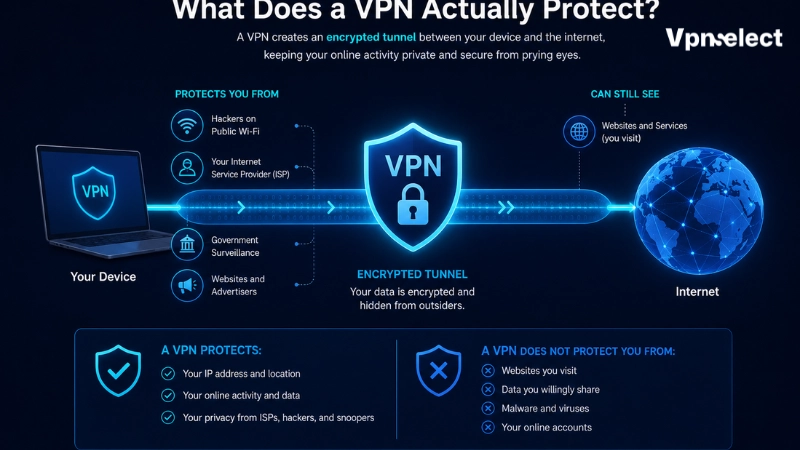
What Does Incognito Mode Actually Hide?
Incognito Mode is useful when someone else may use the same browser after you, such as during a search session on a shared laptop. For more explanations of privacy tools and their limits, see our all VPN guides.
When a private browsing session ends, the browser typically does not retain the list of pages visited during that session and removes temporary cookies or site data associated with the private window. This can also reduce the chance of staying signed into websites after the window is closed.
But VPN and Incognito Mode are often confused because “private” sounds stronger than it is. Incognito Mode does not hide your IP address from a website. It does not prevent an internet service provider, school, workplace network, or visited site from observing or collecting information about the connection. Bookmarks created in private mode and files downloaded to the device may also remain after the session ends.
In short, when comparing VPN and Incognito Mode, private browsing hides traces from the next person using the browser; it does not make your connection invisible online.
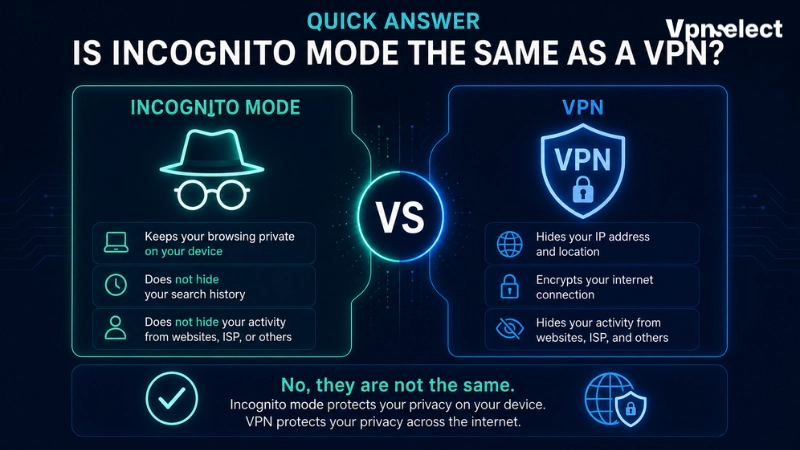
What Does a VPN Actually Protect?
A VPN is designed for a different job. It creates an encrypted connection between the device and a VPN server. While the connection is active, local network observers, such as people monitoring an unsecured Wi-Fi network, cannot simply read the traffic passing through that tunnel. Websites generally receive the VPN server’s IP address instead of your original home or mobile IP address.
This makes a VPN useful on public networks or when you do not want websites to receive your original IP address. VPN and Incognito Mode work independently: a VPN protects its connection whether the browser window is normal or private.
When comparing VPN and Incognito Mode, remember that a VPN still has limits. It does not delete history saved by your browser. If you log into an account, that service can recognize the signed-in user even when a VPN is running. Websites may also identify sessions through first-party cookies or other browser signals. Your VPN provider is also part of the privacy equation, which is why its data-handling policy matters.
The encrypted tunnel is the technical difference Incognito Mode cannot provide. Readers who want a deeper explanation can read how does VPN encryption work.
Should You Use VPN and Incognito Mode Together?
Using VPN and Incognito Mode together can be sensible because they address separate privacy concerns. The VPN protects the network connection and substitutes its server IP address for your original IP address, while the private browser window reduces the session information stored locally after it closes.
Consider using both on public Wi-Fi when using a shared or borrowed computer. The VPN addresses the connection, while Incognito Mode helps avoid leaving that private session in ordinary browser history.
However, VPN and Incognito Mode do not create complete anonymity. Logging into email, social media, shopping, or work accounts still identifies you to those services. A website may still record activity performed during a visit. Malware, keyloggers, browser fingerprinting, account logins, and information you voluntarily provide are not solved simply by opening a private window and connecting to a VPN.
Think of VPN and Incognito Mode as layers, not a disguise. One limits local browser traces. The other protects the path between your device and the VPN server and masks the original IP shown to websites.
VPN or Incognito Mode: Which Should You Use?
Choosing between VPN and Incognito Mode depends on what you are trying to prevent.
Use Incognito Mode alone when your main concern is local browser privacy. It is useful for a session on a shared device, avoiding saved browsing history for a short search, or signing into a second account without mixing cookies with your main session.
Use a VPN alone when the concern is network-level privacy: connecting through public Wi-Fi, masking your original IP address from websites, or protecting traffic from being plainly inspected on the local network.
Use VPN and Incognito Mode together when both concerns apply. For example, a traveler using hotel Wi-Fi on a shared device may want both a protected network connection and a browser session that does not remain in ordinary local history.
A proxy may route selected traffic through another server, but it does not automatically provide the same encrypted connection as a VPN. Read about proxy and VPN differences before treating either as a substitute for private browsing or a VPN.
Common Privacy Mistakes to Avoid
The first mistake is assuming Incognito Mode hides your IP address. It does not. The websites you visit can still see an IP address associated with your connection unless another tool, such as a VPN, changes what they receive.
The second is assuming a VPN clears browser history. It does not. If browsing history is saved in a normal browser window, it can still remain on the device after the VPN disconnects.
The third is treating VPN and Incognito Mode as complete anonymity tools. They improve specific layers of privacy, but they do not hide actions performed while signed into an identifiable account or remove every form of website tracking.
Final Verdict
VPN and Incognito Mode serve different purposes. Incognito Mode is best for reducing browser traces saved on a device after a private session. A VPN is designed to protect network-level privacy by encrypting the connection to a VPN server and masking your original IP address from visited websites.
Use Incognito Mode for local privacy, a VPN for connection privacy, and both when both needs overlap. The most important takeaway is that neither tool makes you completely anonymous online, but understanding their limits helps you browse more deliberately and safely.
Frequently Asked Questions
Does Incognito Mode hide your IP address?
No. This is one of the clearest differences between VPN and Incognito Mode. Incognito Mode focuses on what the browser stores locally after a private session. It does not replace your IP address or encrypt the connection to a VPN server. A website can still see an IP address associated with the connection.
Can your ISP see activity in Incognito Mode?
When comparing VPN and Incognito Mode, Incognito Mode does not hide network activity from an ISP. A VPN can encrypt traffic between the device and the VPN server, although the ISP can usually still tell that a VPN connection is being used.
Does a VPN work in Incognito Mode?
Yes. VPN and Incognito Mode can run at the same time because they work at different layers. The VPN protects the connection while it is active, and Incognito Mode limits the local browser record of that private session.
Does using VPN and Incognito Mode make you anonymous?
No. Using both can improve privacy, but websites can still know who you are if you sign in, submit identifying information, or are recognized through other tracking signals. Privacy tools reduce exposure; they do not erase identity in every situation.



Leave a comment