






























A VPN tunnel is an encrypted, private connection between your device and a VPN server that shields your internet traffic from ISPs, hackers, and surveillance. When you browse through a VPN tunnel, your data is wrapped and scrambled before it ever leaves your device – making it unreadable to anyone intercepting it along the way.
Understanding how a VPN tunnel works helps you make smarter decisions about your online privacy. This guide covers everything from how encryption and encapsulation function inside the tuUnderstanding what it is sets the foundation.nnel, to the types of tunnels available, what threats they protect against, and advanced configurations for users with higher privacy needs.
What Is a VPN Tunnel?
A VPN tunnel is an encrypted, private pathway – a type of secure connection – that carries your internet traffic between your device and a VPN server, hiding its contents from any outside observer. Understanding what it is sets the foundation for understanding why it matters for your privacy.
To get a full picture, it helps to compare it with a standard connection and clarify how it relates to a VPN service overall.
VPN Tunnel vs. Regular Internet Connection
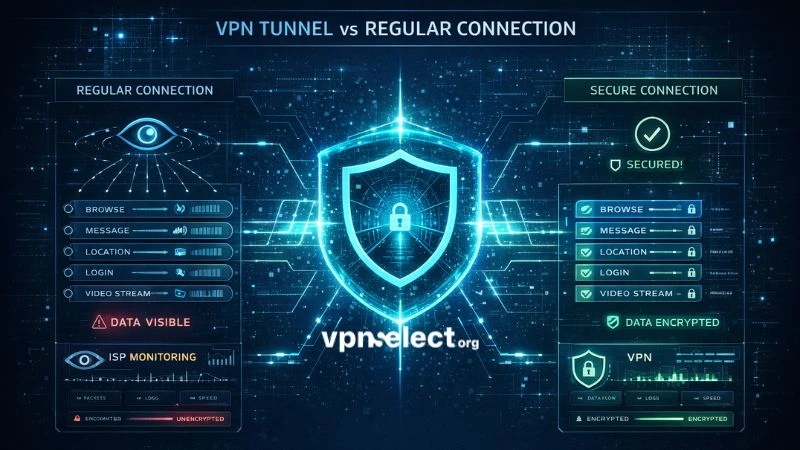
On a regular internet connection, your ISP can see every website you visit, every file you download, and the metadata of every communication you make. With a VPN tunnel, that visibility disappears: your ISP sees only encrypted data traveling to a VPN server – nothing more.
The difference becomes especially significant on public Wi-Fi, where unencrypted traffic is trivially easy to intercept. A VPN tunnel wraps all outgoing data in encryption before it leaves your device, so even if someone captures your packets, they see only unreadable cipher text. For a broader look at how VPNs fit into your overall security setup, the VPN Guide is a solid starting point.
The table below compares key characteristics of a regular internet connection versus a VPN tunnel. Reviewing it will help you quickly see what changes – and what doesn’t – when you activate a VPN.
| Feature | Regular Connection | VPN Tunnel |
|---|---|---|
| Data visibility | ISP sees all traffic | Only encrypted data visible |
| IP address exposed | Your real IP | VPN server’s IP |
| Public Wi-Fi risk | High | Encrypted before leaving device |
| DNS requests | Visible to ISP | Routed through VPN server |
Is a VPN Tunnel the Same as a VPN?
No – a VPN is the broader service; the VPN tunnel is the specific encrypted connection it creates. The tunnel is one component of the overall VPN system, alongside the client software, server infrastructure, and tunneling protocols. Thinking of the tunnel as the VPN itself is like calling a phone call the same thing as a telephone network.
How Does a VPN Tunnel Work?
A VPN tunnel works through four sequential stages — authentication, encapsulation, encryption, and decryption — each building on the last to create a fully protected, end-to-end connection. Walking through each step reveals exactly why your traffic becomes unreadable to anyone outside the tunnel.
Step 1 – Authentication and Tunnel Establishment
Before any data flows, your device and the VPN server must verify each other’s identity. Your VPN client initiates a connection and both parties exchange cryptographic credentials — typically through a TLS handshake or certificate-based authentication — to confirm that neither side is an impostor.
Once authentication succeeds, both sides negotiate the session parameters: the encryption algorithm, key length, and session keys that will protect this specific VPN tunnel. Only after this handshake completes does the tunnel open for traffic.
Step 2 – Encapsulation: Wrapping Your Data
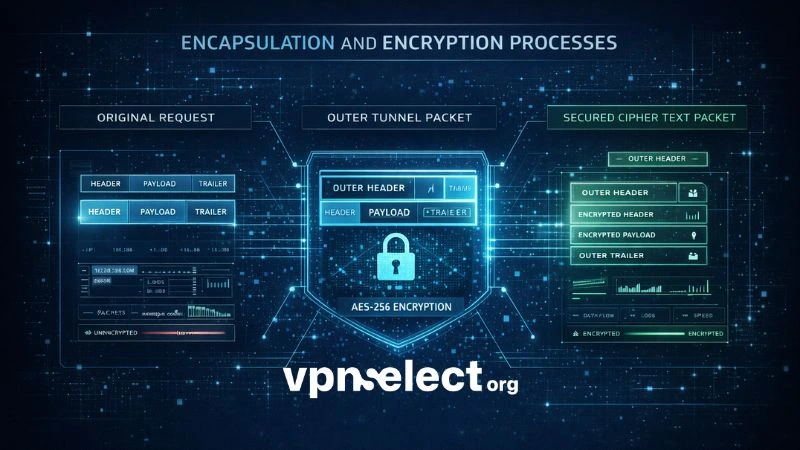
Encapsulation creates a “packet within a packet.” Every outgoing data packet from your device is placed inside a new outer packet addressed only to the VPN server. Your ISP sees traffic going to that server — never the actual website you’re visiting or the content of your request.
This structural separation is what makes a VPN tunnel fundamentally different from a basic proxy or a standalone HTTPS connection: even the routing metadata of your original request — where it’s going — is hidden inside the wrapper, not just the payload.
Step 3 – Encryption: Scrambling the Content
Once encapsulated, the inner packet is encrypted using the algorithm negotiated during authentication — scrambling its contents into cipher text that only the VPN server can reverse. To understand how these standards apply across different VPN services, the what is vpn encryption guide covers the topic in depth.
The table below compares the most common encryption standards used in modern VPN tunnels — it helps you assess whether your VPN is using genuinely secure encryption or relying on outdated methods.
| Standard | Key Length | Used In | Security Level |
|---|---|---|---|
| AES-256-GCM | 256-bit | OpenVPN, IKEv2 | Military-grade |
| ChaCha20-Poly1305 | 256-bit | WireGuard | Excellent on mobile |
| AES-128-GCM | 128-bit | OpenVPN | Strong, faster |
| PPTP | 128-bit | Legacy only | Obsolete — avoid |
AES-256 is considered computationally infeasible to brute-force with any foreseeable technology. ChaCha20-Poly1305 is increasingly favored for mobile devices due to lower CPU overhead without any meaningful loss in security strength.
Step 4 – Data Transmission and Decryption
The encapsulated, encrypted packet travels across the public internet to the VPN server. No intermediate point — your ISP, a router, or any network observer — can read what’s inside. At the VPN server, the outer packet is stripped away and the inner packet is decrypted using the matching session key. The server then forwards your original request to its destination on your behalf, and the response travels back through the same VPN tunnel in reverse.
What Are the Main Types of VPN Tunnels?
There are two primary tunnel configurations – full tunnel and split tunnel – plus several tunneling protocols that determine how the tunnel is built and how it performs. The right choice depends on whether you prioritize complete privacy, connection speed, or a balance of both.
Full Tunnel vs. Split Tunnel VPN
Understanding what is a full tunnel VPN versus what is a split tunnel VPN comes down to one key difference: how much of your traffic is routed through the encrypted connection.
A full tunnel VPN routes 100% of your traffic – every app, browser tab, and background process – through the VPN tunnel. This provides maximum privacy but introduces some speed overhead because all traffic must pass through the VPN server before reaching its destination.
A what is a VPN split tunnel setup allows you to define which traffic uses the VPN and which connects directly to the internet. A practical example: a remote worker routes their corporate application through the VPN for security while streaming video directly – keeping the VPN tunnel bandwidth reserved for sensitive traffic. The trade-off is that bypassed traffic uses your real IP address and remains unencrypted.
For most users focused on privacy, full tunnel is the safer default. Split tunneling is best suited to power users who need fine-grained control over their network traffic.

What Tunneling Protocols Are Available?
The tunneling protocol defines how the VPN tunnel is constructed, authenticated, and maintained. Choosing the right one directly affects speed, security, and compatibility – for a detailed breakdown, see the guide on the best vpn protocol.
The table below summarizes the major tunneling protocols used in modern VPN tunnels. Use it to match your primary use case to the most suitable protocol.
| Protocol | Speed | Security | Best For |
|---|---|---|---|
| WireGuard | Very fast | Very strong | Daily use, mobile |
| OpenVPN | Moderate | Very strong | High-security environments |
| IKEv2/IPSec | Fast | Strong | Mobile, frequent network switching |
| L2TP/IPSec | Moderate | Moderate | Legacy compatibility |
| PPTP | Fast | Weak – avoid | Legacy only |
WireGuard has become the leading modern protocol, with approximately 4,000 lines of code compared to OpenVPN’s ~70,000 – making it significantly easier to audit for security vulnerabilities. For users researching IPSec-based options, what is an ipsec vpn covers the protocol in depth.
What Does a VPN Tunnel Protect You From?
A VPN tunnel protects you from ISP surveillance, man-in-the-middle attacks, IP-based tracking, and traffic monitoring on unsecured networks – but it does not make you fully anonymous, since it cannot protect against threats that originate after traffic exits the VPN server.
Knowing the specific threat scenarios helps you use the VPN tunnel where it actually makes a difference.
Does a VPN Tunnel Hide Activity From Your ISP?
Yes – your ISP can see that you are connected to a VPN server and the volume of data transferred, but cannot see which websites you visit, what you download, or the content of your communications. This matters especially in countries where ISPs are legally required to log browsing data or are permitted to sell it to third-party advertisers.
A VPN tunnel effectively replaces your browsing history (visible to the ISP) with a single encrypted stream to a VPN server IP. Without the decryption key – held only by the VPN server – that stream is meaningless.
How Does It Protect You on Public Wi-Fi?
On public Wi-Fi, a VPN tunnel encrypts all traffic before it leaves your device, neutralizing the three most common network-level attacks:
- Packet sniffing: Intercepted packets contain only unreadable cipher text – no credentials, no session tokens, no browsing history.
- Man-in-the-middle attacks: Because traffic is encrypted end-to-end before interception is possible, an attacker positioned between your device and the router cannot read or modify your data.
- Evil twin hotspots: Even if you unknowingly connect to a rogue access point mimicking a legitimate network, your data remains encrypted inside the VPN tunnel and is worthless to the attacker.
Advanced VPN Tunnel Techniques
Three advanced configurations extend the protection of a standard VPN tunnel for users with heightened privacy requirements – whether that means bypassing censorship, defeating surveillance, or layering anonymity networks together.
What Is an Obfuscated VPN Tunnel?
An obfuscated VPN tunnel disguises VPN traffic to look like regular HTTPS browsing, bypassing deep-packet inspection (DPI) systems that governments and ISPs use to detect and block VPN usage. It works by randomizing packet headers and connection patterns using tools like Shadowsocks, Obfsproxy, or proprietary stealth protocols built into some VPN clients.
This is essential for users in heavily censored regions such as China, Russia, and Iran, where standard VPN tunnel connections are actively identified and blocked at the network level.
What Is a Double VPN Tunnel?
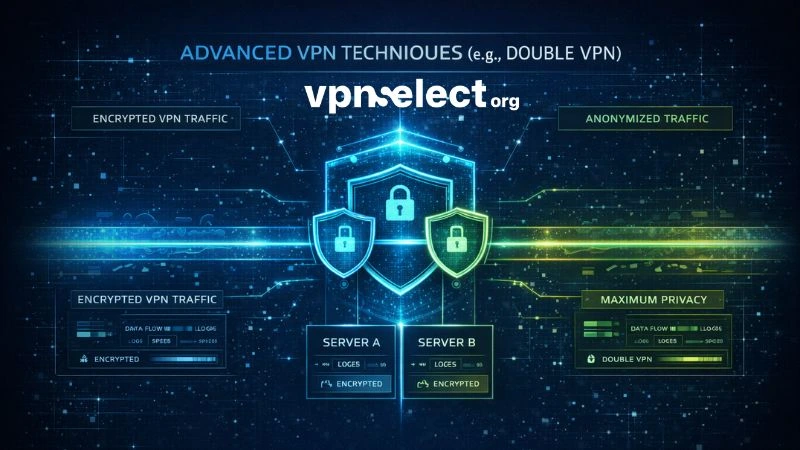
A Double VPN tunnel routes your traffic through two VPN servers sequentially, applying two independent layers of encryption. The first server knows your real IP address but not your final destination; the second server knows your destination but sees only the first server’s IP – not yours.
No single server in a Double VPN chain holds enough information to link your identity to your activity, making this configuration highly resistant to targeted surveillance or server seizure. The practical trade-off is significant: speeds typically drop 40–60% due to the additional routing and double encryption overhead.
Can a VPN Tunnel Be Combined With Tor?
Yes – this combination is called Onion over VPN, and it routes your traffic through the VPN tunnel first, then into the Tor anonymity network. Your ISP sees only VPN traffic, not Tor usage; the Tor exit node sees only the VPN server’s IP, not your real one.
The result is the highest level of consumer-grade privacy available. The trade-off is very low speeds – typically 1–5 Mbps – making it impractical for streaming or large downloads. This configuration is best reserved for journalists, whistleblowers, and activists operating in high-risk environments. For most users, a well-configured obfuscated VPN tunnel provides sufficient protection.
Conclusion
A VPN tunnel is the core mechanism behind real online privacy: it encapsulates your data, encrypts it to military-grade standards, and routes it through a secure pathway that hides your activity from ISPs, attackers, and surveillance systems. Whether you choose a full tunnel for complete protection, a split tunnel for performance flexibility, or an advanced obfuscated or double tunnel for high-risk environments, the underlying principle remains the same – your traffic stays private because no one outside the tunnel can read it.
Choosing the right tunnel configuration and protocol makes a measurable difference in both speed and security. If you’re ready to find a VPN that matches your needs, explore the Best VPN recommendations and full provider comparisons at VPNSelect – where every recommendation is tested against real-world privacy and performance criteria.



Leave a comment