






























VPN hide my IP address – that’s the first thing most people expect when they turn on a VPN. Your IP address is the unique identifier your ISP assigns to your device. It reveals your approximate location and allows websites, advertisers, and even hackers to track your online activity.
But does a VPN actually hide it? And what happens to the data a VPN can’t protect? This guide explains exactly how VPN-based IP hiding works, where it falls short, and how to pick and verify a provider that keeps you anonymous.
Does a VPN Hide Your IP Address?
Yes – when you activate a VPN, it replaces your real IP address with the VPN server’s IP, encrypts your internet traffic, and prevents third parties from identifying your actual location. Here’s how the process works and why it matters for your privacy.
When your device connects to a VPN server, it creates a secure encrypted tunnel. Every website or service you visit after that point sees the server’s IP address – not yours. Your ISP detects that you’re connected to a VPN server, but it cannot see which websites you visit or what data you exchange. This is the core mechanism behind how a VPN hides your IP address effectively.
How VPN Encryption Masks Your Real IP
The foundation of how a VPN hides your IP address is encryption. Your device routes all internet traffic through an encrypted tunnel before it reaches the open internet. Modern protocols like WireGuard and OpenVPN handle this process with minimal speed loss.
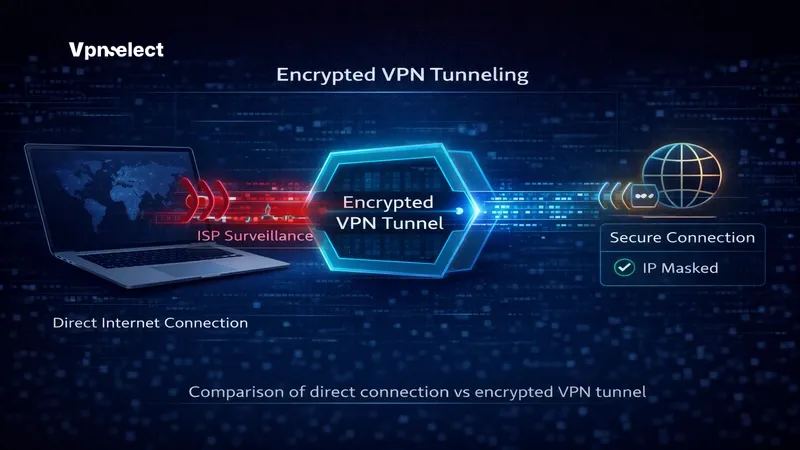
Without a VPN, your traffic travels directly from your device to a website, exposing your IP at every stop along the way. With a VPN, that traffic first passes through an encrypted tunnel to a remote server. The destination website only sees the server’s IP – your real address stays completely hidden.
Your ISP sees encrypted packets heading toward the VPN server. It knows you’re using a VPN, but it cannot read the content of your traffic or identify your final destinations. Understanding how VPN encryption works is essential for anyone serious about online privacy.
Why Hiding Your IP With a VPN Matters
Your IP address reveals your approximate city and region. A VPN masks that location, making it significantly harder for websites, advertisers, or malicious actors to pinpoint where you are.
ISPs in many countries legally monitor and log browsing activity. A VPN prevents your provider from seeing which sites you visit, reducing your exposure to surveillance.
Geo-restrictions block content based on your IP’s location. A VPN bypasses those blocks by connecting through a server in a permitted region. IP bans from gaming servers, forums, or streaming platforms also become avoidable when your real IP stays hidden behind a VPN server.
What a VPN Still Exposes
Even though a VPN hides your IP address, it doesn’t make you invisible online. Several tracking methods operate independently of your IP, and certain technical flaws can leak your real address despite an active VPN connection.
Understanding these gaps is critical before trusting any VPN with your privacy.
Leaks That Bypass Your VPN – DNS, WebRTC & Fingerprinting
A DNS leak occurs when your device sends domain name requests outside the encrypted VPN tunnel – typically to your ISP’s default DNS server. When this happens, your ISP can see exactly which websites you’re visiting, even though your IP appears masked to the destination site.
WebRTC is a browser feature designed for real-time communication like video calls and file sharing. The problem is that WebRTC can expose your real IP address to websites even while a VPN is active. This leak happens at the browser level, and most VPNs don’t block it by default.
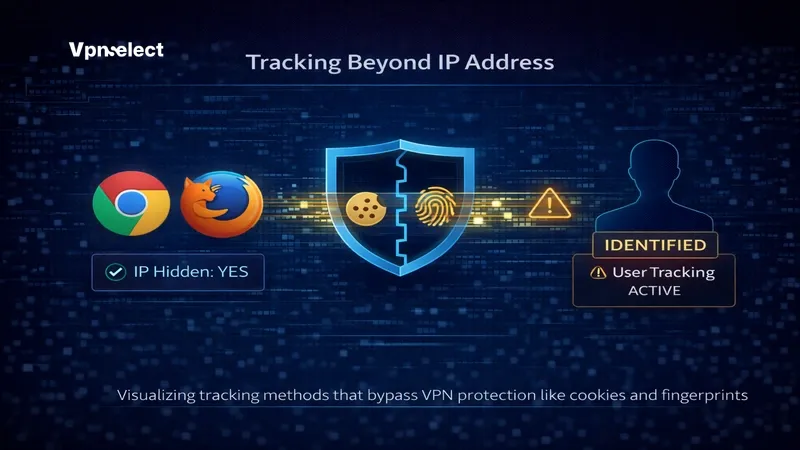
Browser fingerprinting collects data about your device – screen resolution, installed fonts, browser plugins, timezone – to create a unique profile. No IP address is needed. Even if your VPN works perfectly, fingerprinting can still identify and track you across websites. The question of whether a VPN can be traced often comes down to whether these leaks exist in your setup.
Cookies, Accounts & Data Your VPN Can’t Touch
A VPN hides your IP, but it has zero control over cookies stored in your browser. If you’ve accepted tracking cookies from Google, Facebook, or any advertising network, those cookies continue identifying you regardless of your IP address.
Logged-in accounts are another blind spot. If you’re signed into Google while browsing, Google associates your activity with your account – not your IP. The same applies to social media platforms, email services, and any site where you’ve authenticated. Your VPN protects the network layer. It cannot protect the application layer.
Does a VPN Hide My IP Address Properly? How to Choose & Verify
A VPN hides your IP address properly only if the provider is built to prevent leaks and you verify the connection after setup. Choosing the right provider and testing your connection are two equally important steps.
When figuring out how to choose a VPN provider, focus on technical safeguards rather than marketing claims. The criteria below apply whether you need everyday browsing protection or you’re learning how to choose a secure VPN for travel and work.
What to Look for Before You Subscribe
Not every VPN actually protects your IP. Before subscribing to any provider – free or paid – check for these features.
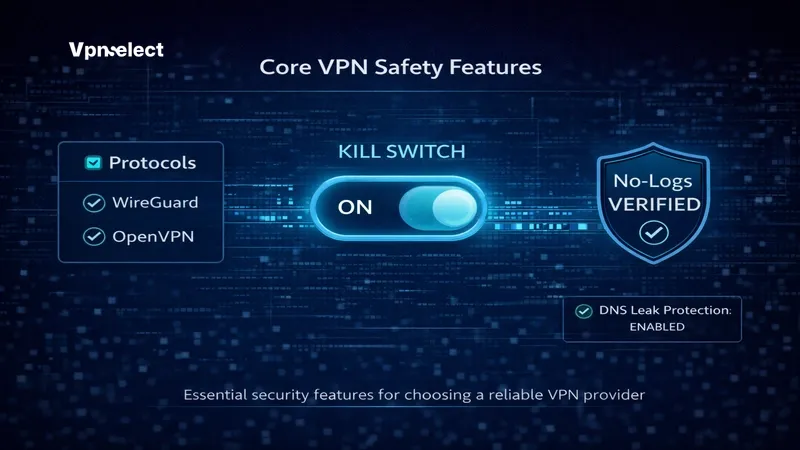
A verified no-log policy means the provider does not store records of your browsing activity. Look for providers that have passed independent security audits, not just those that claim “no logs” on their homepage.
A built-in kill switch cuts your internet connection immediately if the VPN drops. Without it, your real IP gets exposed the moment the VPN disconnects – even for a few seconds.
DNS leak protection ensures all DNS queries route through the VPN tunnel, not your ISP’s servers. This should be enabled by default. If it isn’t, consider that a red flag.
Jurisdiction matters. A VPN headquartered in a Five Eyes country may face data retention laws or government data requests. Providers based in privacy-friendly jurisdictions like Panama, Switzerland, or the British Virgin Islands face fewer legal obligations to share user data.
If you’re searching for a free VPN to hide your IP address, proceed with caution. Many free providers monetize by logging user data, injecting ads, or selling bandwidth. If a free VPN doesn’t clearly state its revenue model, your data is likely the product.
VPNSelect, for example, offers built-in DNS leak protection, an automatic kill switch, and a verified no-log policy – features that many free alternatives lack entirely.
Test Your Connection – Is Your Real IP Showing?
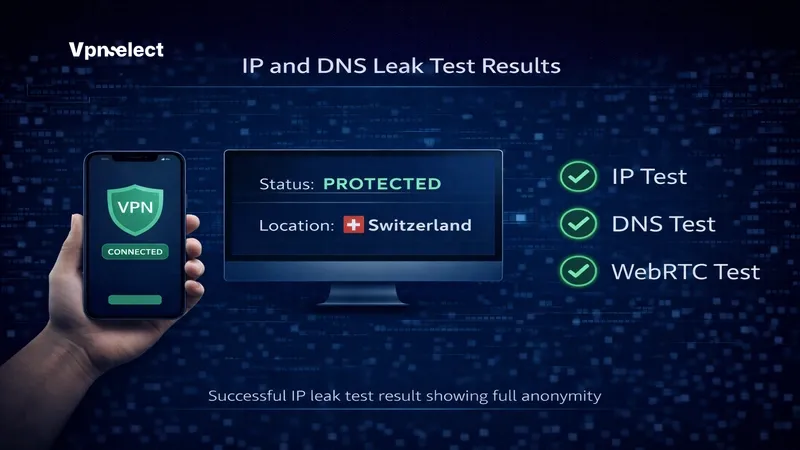
After connecting to your VPN, verify that it’s actually doing its job. Open a browser and visit an IP leak test site such as ipleak.net or browserleaks.com.
Check three things. First, your visible IP address should show the VPN server’s location, not yours. Second, DNS queries should resolve through the VPN’s DNS servers, not your ISP’s. Third, WebRTC should either be disabled or display the VPN’s IP.
If your real IP appears in any of these tests, take immediate action. Enable the kill switch in your VPN app settings. Disable WebRTC in your browser – in Firefox, navigate to about:config and set media.peerconnection.enabled to false; in Chrome, install a WebRTC-blocking extension. Then re-run the test.
A VPN that passes all three checks is properly hiding your IP address. One that fails even a single test is leaving you exposed.
VPN & IP Address – Frequently Asked Questions
Is Hiding Your IP With a VPN Illegal?
In most countries, using a VPN to hide your IP address is completely legal. VPNs are standard privacy and security tools used by individuals, businesses, and organizations worldwide.
However, some countries restrict or ban VPN usage – including China, Russia, and the UAE. Regardless of jurisdiction, using a VPN to conduct illegal activity doesn’t make that activity legal. The VPN hides your IP, not your liability.
Can You Hide Your IP Address Without a VPN?
Yes. If you want to hide your IP address without a VPN, three main alternatives exist. Tor Browser routes traffic through multiple volunteer-operated nodes, offering strong anonymity but significantly slower speeds. Proxy servers mask your IP but typically lack encryption, leaving traffic vulnerable to interception. Smart DNS changes your apparent location but doesn’t hide your IP from your ISP at all.
For most users, a VPN remains the strongest balance of speed, encryption, and usability. For a broader look at all your options, our VPN Guide covers detailed comparisons across methods.
Do VPN Apps Work the Same Across Phone, Windows & Mac?
The core function – does a VPN hide your IP address on mobile and desktop – works identically across all platforms. A VPN app on your phone creates the same encrypted tunnel as one on your laptop or desktop.
The differences lie in default settings. Mobile VPN apps often ship with the kill switch disabled by default. Split tunneling availability varies between platforms. Protocol options may differ across iOS, Android, Windows, and macOS. Always check your app settings immediately after installation to ensure full protection is active.
A VPN hides your IP address – but only when the provider is trustworthy, the features are properly configured, and the connection passes a leak test. This guide covered the mechanism behind IP masking, the vulnerabilities that persist despite a VPN, and the specific features and tests that separate a reliable provider from a risky one.
Take control of your online privacy today. Start by choosing a provider that meets every criterion outlined above, then verify your connection with a leak test before you browse. For trusted reviews, setup guides, and recommendations for the best anonymous VPN options available, visit VPN Select – your starting point for real online anonymity.


Leave a comment