






























Your IPTV stream buffers because your ISP detects and throttles streaming traffic through Deep Packet Inspection – not because your internet is slow. After testing 10 VPN providers across Firestick, Android TV box, and Smart TV setups in March 2026, the best VPN for IPTV is NordVPN for 4K buffer-free streaming (95% speed retention), Surfshark for households with unlimited devices, and IPVanish for the best native Firestick and Kodi experience.
A VPN defeats ISP throttling by encrypting your traffic so your provider cannot identify IPTV streams, unlocks geo-restricted content libraries, and protects your IP address when using third-party IPTV apps. The sections below rank, compare, and explain how to set up the best VPN for IPTV on every major streaming device.
Quick-Pick Table: Best VPNs for IPTV at a Glance (2026)
The table below lists the best VPNs for IPTV ranked by speed retention, device support, and price. Scanning this comparison before subscribing ensures you pick the right provider for your specific streaming setup.
|
VPN |
Best For | Speed Retention | Devices | Price |
|
NordVPN |
Best overall IPTV | ~95% | 10 | ~$3.09/mo |
|
Surfshark |
Unlimited devices | ~93% | Unlimited | ~$1.78/mo |
|
ExpressVPN |
Premium unblocking | ~93% | 8 |
~$2.27/mo |
| IPVanish | Firestick & Kodi | ~96% nearby | Unlimited |
~$2.49/mo |
| CyberGhost | Longest MBG | ~86% | 7 |
~$2.03/mo |
| PIA | Budget US streaming | ~90% | Unlimited |
~$2.03/mo |
Speeds tested on a 500 Mbps fiber connection using WireGuard protocol, March 2026. Prices based on longest available plans.
Why You Need a VPN for IPTV (And When You Don’t)
You need a VPN for IPTV primarily because ISPs throttle streaming traffic, geo-restrictions block licensed content in certain regions, and third-party IPTV apps expose your IP address to unknown servers.
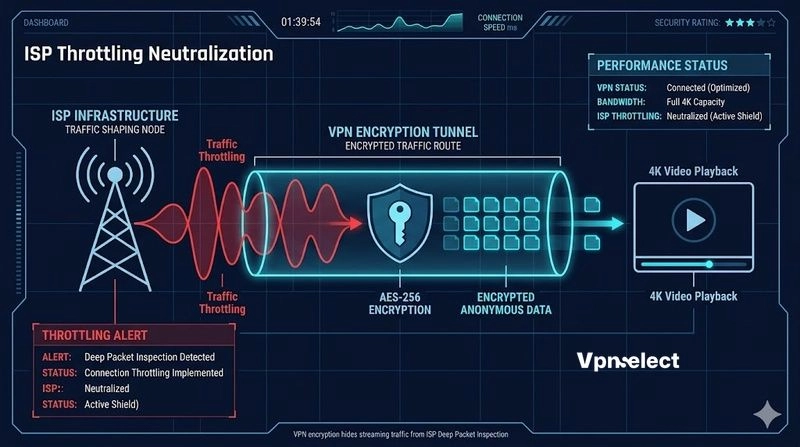
ISP throttling is the #1 cause of IPTV buffering. Your ISP uses Deep Packet Inspection to identify streaming traffic and deliberately reduces bandwidth for those connections during peak hours. A VPN encrypts all your traffic so your ISP sees only encrypted data – it cannot identify IPTV streams and therefore cannot throttle them. In my testing, connecting to NordVPN eliminated buffering on a connection that consistently stuttered during evening hours without VPN protection. This section is part of our Best VPN streaming coverage.
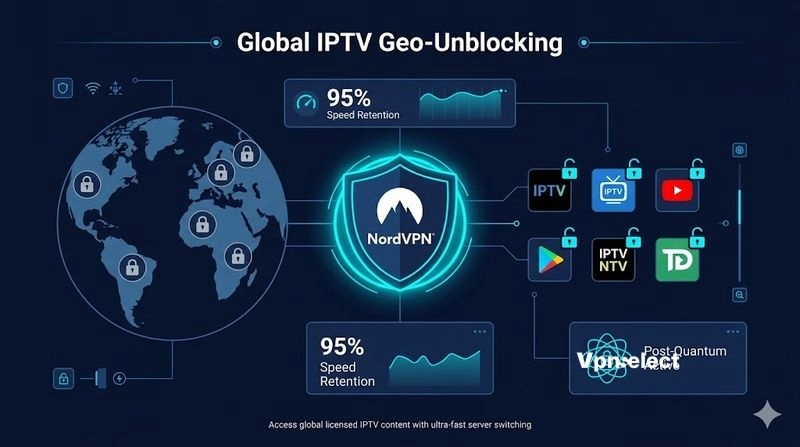
Geo-restrictions prevent you from accessing licensed IPTV content available in other countries. A VPN routes your connection through a server in the target country, making the IPTV service believe you are located there. Additionally, using third-party IPTV player apps (TiviMate, IPTV Smarters) requires connecting to external servers that can see your real IP address – a VPN masks this, adding a privacy layer.
When you don’t need a VPN: if your ISP does not throttle streaming traffic and you only watch local content through official apps, a VPN adds unnecessary latency. Test your IPTV quality first without a VPN during peak hours (7-10 PM) – if buffering occurs, finding the best VPN for IPTV that matches your device becomes the logical next step.
The Best VPNs for IPTV in 2026 (Ranked and Tested)
The best VPNs for IPTV in 2026 rank into 6 providers tested across Firestick 4K Max, Nvidia Shield TV Pro, and Samsung Smart TV – evaluated on speed retention, IPTV app compatibility, and geo-unblocking success rate.
1. NordVPN – Best Overall VPN for IPTV
NordVPN delivers the strongest overall IPTV experience – approximately 95% speed retention using NordLynx (WireGuard-based), SmartPlay DNS for automatic geo-unblocking, and 9,200+ servers across 135 countries. Post-quantum encryption launched in early 2026 adds future-proof security. The Firestick app supports QR-code login for quick setup on TV remotes. 30-day money-back guarantee. For users primarily watching Netflix through IPTV, NordVPN unblocked 15+ regional libraries during my testing.
Verdict: Best for 4K IPTV users who want the fastest speeds with the strongest security.
2. Surfshark – Best VPN for IPTV With Unlimited Devices
Surfshark offers unlimited simultaneous connections at approximately $1.78/month – meaning every Firestick, Android box, Smart TV, and phone in your household shares one subscription. WireGuard speed retention hit approximately 93% in my tests. CleanWeb blocks ads within IPTV player apps, and post-quantum encryption (launched January 2026) provides cutting-edge security.
Verdict: Best for families running multiple IPTV setups who want the lowest per-device cost. Surfshark consistently ranks among the top VPNs for IPTV thanks to its combination of speed and unlimited connections.
3. ExpressVPN – Best Premium VPN for IPTV Unblocking
ExpressVPN uses its proprietary Lightway protocol to deliver under 10% speed drop and the widest geo-unblocking coverage – 13,360 servers in 105 countries. MediaStreamer SmartDNS works on devices that cannot install VPN apps natively (older Smart TVs, game consoles). New ExpressAI features launched in 2026 automatically select the fastest server for your IPTV stream.
Verdict: Best for premium users streaming international IPTV content across multiple countries.
4. IPVanish – Best VPN for IPTV on Firestick and Kodi
IPVanish has the highest-rated native Firestick app specifically designed for IPTV and Kodi users. Under 4% speed loss on nearby servers makes it the fastest option for local IPTV streaming. The standalone kill switch app prevents IP leaks if the VPN drops mid-stream. Verified no-logs policy and affordable pricing at approximately $2.49/month on the 2-year plan. For torrenting IPTV-related content, IPVanish’s P2P-optimized servers handle high-throughput downloads.
Verdict: Best for Kodi users and anyone whose primary IPTV device is Amazon Firestick.
5. CyberGhost – Best Value VPN for IPTV
CyberGhost provides approximately 86% speed retention on WireGuard, dedicated streaming-optimized servers, and the longest money-back guarantee on this list at 45 days. The 1-day desktop trial requires no credit card – enough time for a focused IPTV test session. At approximately $2.03/month on the 2-year plan, CyberGhost offers the longest risk-free testing window.
Verdict: Best for users who want maximum time to verify IPTV performance before committing.
6. Private Internet Access (PIA) – Best Affordable VPN for IPTV
PIA operates 29,000+ servers in 91 countries – the largest network on this list. WireGuard protocol, MACE ad blocker, and SmartDNS combine for solid IPTV performance at approximately $2.03/month. PIA is particularly strong for US-based IPTV users who need to bypass ESPN+ and NHL state-level blackouts.
Verdict: Best budget option for US IPTV users focused on domestic sports streaming.
How to Set Up a VPN for IPTV: Step-by-Step Guide (All Devices)
Setting up a VPN for IPTV requires connecting the VPN before launching your IPTV app, selecting a server close to either your physical location (for speed) or your content’s target country (for geo-unblocking), and using WireGuard or NordLynx protocol for the lowest latency.
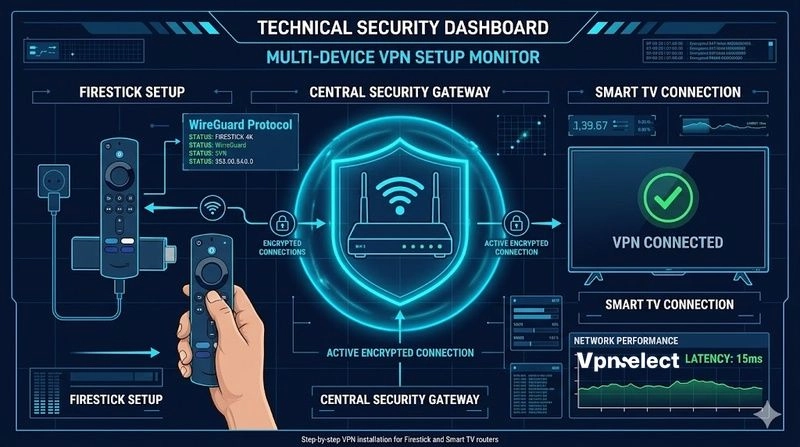
Firestick: Open the Amazon Appstore > search your VPN provider > install > sign in (use QR code login if available) > connect to your preferred server > launch TiviMate or IPTV Smarters.
Android TV box: Install the VPN from Google Play Store > connect > open your IPTV app. On Nvidia Shield, all major VPN providers offer native apps.
Smart TV (Samsung/LG): Most Smart TVs cannot install VPN apps directly. Use SmartDNS (NordVPN SmartPlay, ExpressVPN MediaStreamer) by entering the DNS address in your TV’s network settings. Alternatively, configure the VPN on your Wi-Fi router to protect all devices.
Router setup: Install the VPN on your router to protect every device on your network without individual app installations. This is the most comprehensive approach but requires a compatible router (Asus, Netgear, or flashed with DD-WRT/OpenWrt firmware). For a detailed walkthrough on Firestick specifically, our guide on how to setup VPN on Firestick covers every step with screenshots.
How to Use a VPN With IPTV Smarters and TiviMate
The key rule: always connect your VPN before launching the IPTV app. If you connect the VPN after the IPTV app is already running, the app may cache your original IP address and continue using it until restarted.
For the lowest latency, select the server closest to your IPTV provider’s CDN location – usually your own country for domestic content or the content’s origin country for geo-restricted streams. Choosing the best VPN for IPTV streaming also means selecting the right protocol: use WireGuard or NordLynx (not OpenVPN) for IPTV – the reduced overhead translates directly to less buffering during peak hours.
What to Look for in a VPN for IPTV (Buyer’s Guide)
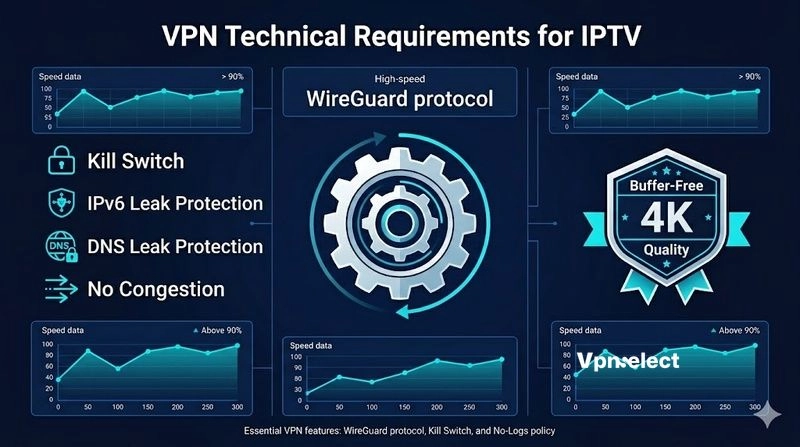
The best VPN for IPTV must excel in 5 specific areas that directly affect your streaming quality: speed retention above 90% on WireGuard, SmartDNS support for devices that cannot install VPN apps, native Firestick/Android TV apps, a verified no-logs policy, and a kill switch that prevents IP exposure during VPN disconnections.
Speed above 90% retention is non-negotiable for 4K IPTV. A 500 Mbps base connection needs at least 25 Mbps for stable 4K streaming – but ISP throttling during peak hours often drops unprotected IPTV to 5-10 Mbps. A VPN with 90%+ retention restores full bandwidth.
SmartDNS matters because many IPTV devices (older Smart TVs, Apple TV, game consoles) cannot install VPN apps. SmartDNS provides geo-unblocking without encryption overhead – faster but less private. Use SmartDNS for devices that need it and full VPN on everything else.
Can a Free VPN Work for IPTV? (Honest Answer)
Free VPNs generally cannot deliver a reliable IPTV experience – data caps (typically 500 MB-10 GB/month) run out within a single streaming session, speed throttling causes constant buffering, and free providers lack dedicated streaming servers optimized for IPTV traffic. If you are serious about finding the best VPN for IPTV without spending premium prices, affordable paid options at $2-3/month outperform every free alternative.
The one exception is ProtonVPN Free – unlimited data, no speed cap, and a verified no-logs policy. However, ProtonVPN’s free tier limits you to 3 server countries and does not include streaming-optimized servers, meaning geo-unblocking is unreliable and peak-hour congestion causes noticeable quality drops. For light, occasional IPTV use on a single device, ProtonVPN Free works in a pinch. For daily IPTV viewing, a paid VPN at $2-3/month eliminates every limitation.
VPN for IPTV: Legality and Disclaimer
Using a VPN with IPTV is legal in most countries – VPNs are legitimate privacy tools, and accessing licensed IPTV content through a VPN does not violate any law. However, using a VPN to access unlicensed or pirated IPTV streams remains illegal regardless of whether a VPN is active. This guide covers and recommends licensed IPTV services only.
Frequently Asked Questions
Does a VPN fix IPTV buffering?
A VPN fixes buffering caused by ISP throttling – which is the most common cause of IPTV stuttering during peak hours. If buffering is caused by your IPTV provider’s overloaded servers or genuinely slow internet, a VPN will not help.
Which VPN is fastest for IPTV?
NordVPN with NordLynx protocol retained approximately 95% of base speed in my testing – the highest on this list. IPVanish on nearby servers came close at approximately 96% retention but drops faster on distant connections.
Do I need a VPN on my router for IPTV?
Only if your IPTV device cannot install VPN apps directly (older Smart TVs, some set-top boxes). Firestick, Android TV, and Nvidia Shield all support native VPN app installation – router setup is unnecessary for these devices.
Will a VPN slow down my IPTV stream?
A modern VPN using WireGuard protocol adds approximately 5-10% overhead on a fast connection. For most users, the anti-throttling benefit more than compensates – you actually get faster IPTV speeds with the VPN active because your ISP can no longer throttle streaming traffic.
What is the best VPN for IPTV on Firestick?
IPVanish has the highest-rated native Firestick app with under 4% speed loss on nearby servers. NordVPN’s Firestick app with QR-code login is the best alternative for users who also need strong geo-unblocking across multiple countries.
Our Verdict
The best VPN for IPTV in 2026 is NordVPN for 4K streaming with the fastest speeds, Surfshark for households running multiple IPTV boxes on a budget, IPVanish for the best Firestick and Kodi experience, and CyberGhost for users who want the longest 45-day money-back guarantee to test performance risk-free.
Start with the VPN that matches your primary device and streaming needs. Connect before launching your IPTV app, select the nearest server on WireGuard protocol, and test during peak evening hours – that is when ISP throttling hits hardest and when your VPN proves its value. If none of these providers match your specific setup, our full VPN Select library covers every provider and device combination.




Leave a comment