































Finding the best VPN for laptop in 2026 comes down to five proven options: NordVPN, Surfshark, ExpressVPN, Proton VPN, and Private Internet Access (PIA). Each was tested on both Windows and macOS for real-world speed, privacy protections, and streaming reliability. Whether you use a Windows 11 laptop for work, travel with a MacBook, or just want safer browsing on public Wi-Fi, there is a clear winner for every use case.
Most laptop users fall into one of three groups: those who want the fastest all-around VPN, those on a budget who need unlimited devices, and those who prioritize privacy above all else. The five picks below cover all three. Each section below breaks down exactly why each VPN earns its spot and who it suits best.
Before diving in, note that pricing, speeds, and server counts were verified in May 2026. All five VPNs offer at least a 30-day money-back guarantee, so you can test any of them risk-free.
What Are the Best VPNs for Laptops in 2026? (Our Top Picks Tested)
The five best VPNs for laptop users in 2026 are NordVPN (best overall), Surfshark (best budget with unlimited devices), ExpressVPN (best for beginners and macOS), Proton VPN (best for privacy), and PIA (best affordable option for Windows).
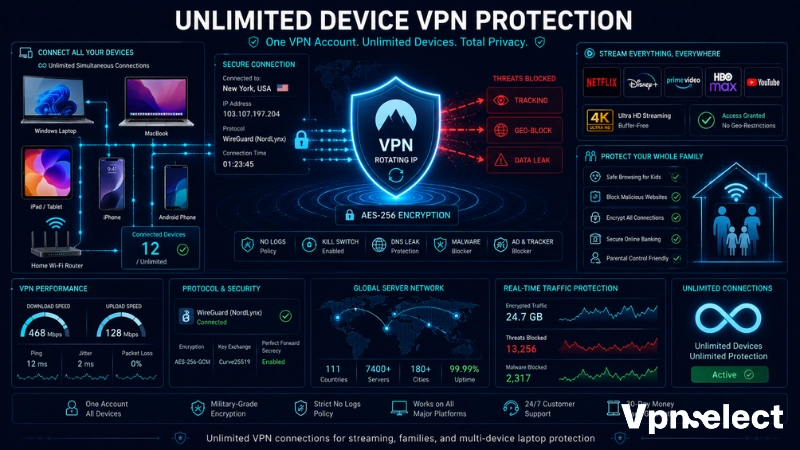
The table below compares the top VPN for laptop options side-by-side across the criteria that matter most – price, device limits, server count, and key features.
|
VPN |
Starting Price | Devices | Servers | Best For |
|
NordVPN |
$3.39/mo | 10 | 9,200+ in 200+ locations | Best overall |
|
Surfshark |
$2.19/mo | Unlimited | 3,200+ in 100 countries | Budget + families |
| ExpressVPN | $4.99/mo | 8 | 3,000+ in 105 countries |
Beginners + macOS |
| Proton VPN | $3.99/mo | 10 | 9,300+ in 110 countries |
Privacy-first |
| PIA | $2.03/mo | Unlimited | 35,000+ servers |
Affordable Windows |
Reviewing this table gives you an at-a-glance view of where each VPN wins, helping you match your budget and priorities before reading the full breakdowns below.
NordVPN – Best Overall VPN for Laptop
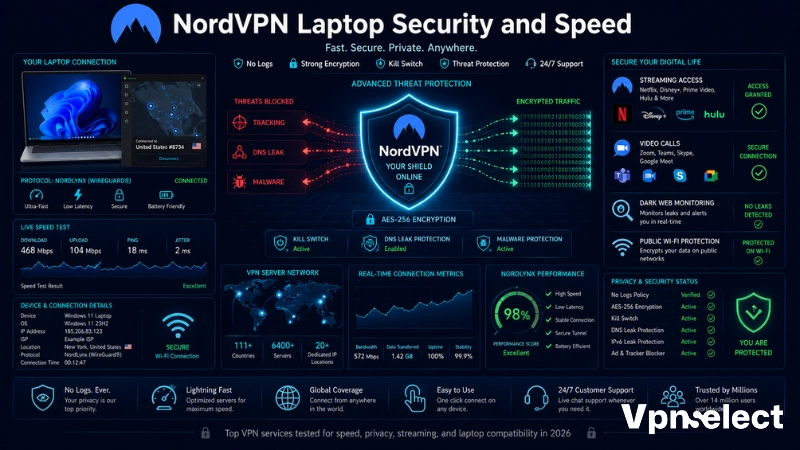
NordVPN leads as the best overall VPN for laptop users in 2026, offering the fastest speeds via its NordLynx protocol, a verified no-logs policy under Panama jurisdiction, and one of the richest feature sets available on Windows and macOS.
Specifically, NordVPN’s Windows app includes split tunneling, dark web monitoring, malware blocking via Threat Protection Pro, and double-VPN servers – all accessible from a clean, map-based interface. During independent testing in January 2026, NordVPN’s download speeds slowed by less than 6% even on distant servers, which is best-in-class consistency.
Why NordVPN stands out for laptop users:
- Speed: NordLynx (WireGuard-based) delivers the fastest throughput of any VPN tested, critical for video calls and large file transfers on laptops.
- Security: AES-256 encryption, kill switch, DNS/IP leak protection, and a 2026-audited no-logs policy mean your data stays private even on Windows, which is known for aggressive telemetry.
- Compatibility: Works on Windows 7, 8.1, 10, and 11, including ARM devices like Surface Pro and Copilot+ laptops.
- Value: The Plus plan at $3.39/mo also bundles NordPass, one of the best password managers for Windows in 2026.

NordVPN supports up to 10 simultaneous connections and backs all plans with a 30-day money-back guarantee. For most laptop users comparing best VPN for PC and laptop options, NordVPN is the safest default choice.
Surfshark – Best Budget VPN for Laptop with Unlimited Devices
Surfshark is the best budget VPN for laptop users who want unlimited simultaneous connections, starting at $2.19/mo – the lowest price among premium providers tested.
During streaming tests, nine Windows laptops connected to the same Surfshark server simultaneously without a measurable performance drop, maintaining 194 Mbps from a 272 Mbps baseline – more than enough for 4K streaming across the entire household. Its Camouflage mode automatically obfuscates traffic on restricted networks like school or office Wi-Fi.
Key advantages for laptop users:
- Unlimited devices: No per-device cap, making it ideal for households with multiple laptops, phones, and tablets.
- Streaming: Tested successfully with Netflix (20+ libraries), Disney+, Max, Hulu, and ESPN+ – one of the strongest streaming records among VPNs for laptop in 2026.
- Rotating IP: Automatically cycles your IP address without dropping the connection, making it harder for streaming services to block VPN traffic.
- Clean app experience: Surfshark’s Windows app didn’t increase CPU temperature during testing, unlike some heavier clients.
One trade-off: Surfshark is based in the Netherlands, a 9-Eyes Alliance country. If that concerns you, Proton VPN (Swiss-based) is the privacy-first alternative below.
ExpressVPN – Best VPN for Laptop Beginners & macOS Users
ExpressVPN is the best VPN for laptop beginners and macOS users, combining a one-click interface with 3,000+ servers across 105 countries, all running on 10 Gbps ports for consistently fast connections.
Beyond raw speed, ExpressVPN’s Advanced Protection feature blocks ads, malware, and dangerous trackers before they reach your laptop – a meaningful advantage over basic VPNs that only encrypt traffic. Its Network Lock kill switch and full IP/DNS/WebRTC leak protection ensure no data slips out during accidental disconnections.
Why beginners and Mac users prefer ExpressVPN:
- Ease of use: Single-button connection, automatic best-server selection, and clean app design suited for non-technical users.
- macOS optimization: The macOS app is polished and regularly updated, with Lightway protocol delivering faster speeds than OpenVPN on Apple Silicon chips.
- Threat Manager: Blocks trackers and malicious domains at the VPN level, before they reach your browser.
- Global reach: 105-country server network is the broadest geographic coverage among the top five.
For anyone searching for the best free VPN for Mac as a starting point before committing – ExpressVPN’s 30-day money-back guarantee effectively functions as a full-featured free trial.
Proton VPN – Best VPN for Privacy-First Laptop Users
Proton VPN is the best VPN for privacy-focused laptop users, combining Swiss jurisdiction (outside 14-Eyes surveillance), open-source apps, and Secure Core architecture that routes traffic through privacy-friendly countries before exiting.
Unlike most competitors, Proton VPN publishes its full server and client code publicly for independent audit. Its no-logs policy has been verified by independent auditors, and the company’s infrastructure runs entirely on RAM-only servers that cannot retain data between reboots. During speed tests, Proton VPN reduced download speeds by only 8% and upload speeds by 4%, making it one of the fastest privacy-focused VPNs tested.
Proton VPN’s privacy advantages for laptop users:
- Swiss jurisdiction: Switzerland is not part of any intelligence-sharing alliance, providing the strongest legal privacy protections available.
- Secure Core: Traffic routes through hardened servers in Iceland or Switzerland before exiting to the destination server, protecting against compromised end-point servers.
- Open-source: All apps are publicly audited – any security flaw gets found and fixed faster.
- Free tier: The genuinely unlimited free plan (no data cap) works on one device, useful for light browsing but limited for streaming.
For users who need a VPN for Windows 11 but prioritize data sovereignty over price, Proton VPN’s paid plans start at $3.99/mo and support 10 devices simultaneously.
Private Internet Access (PIA) – Best Affordable VPN for Windows Laptop
Private Internet Access is the best affordable VPN for Windows laptop users, offering unlimited simultaneous connections, the largest server network tested (35,000+ servers), and a verified no-logs policy – all starting at $2.03/mo on its two-year plan.
PIA’s Windows app includes connection automation for Wi-Fi networks: configure it once and the VPN auto-connects whenever your laptop joins a public Wi-Fi network. During week-long testing, PIA’s encrypted DNS servers passed every DNS leak test, and the app never exposed traffic during server switching. It also supports Windows ARM devices via a dedicated Copilot+ beta client.
Why PIA suits Windows laptop users specifically:
- MACE feature: Built-in ad and malware blocker at the DNS level, stopping threats before they load.
- P2P-optimized: Every server supports torrenting, with SOCKS5 proxy integration for faster P2P speeds.
- Custom encryption: Users can toggle between AES-128 and AES-256, balancing speed and security based on the network environment.
- Wi-Fi automation: Auto-connect on untrusted networks is a practical feature for laptop users who frequently move between locations.
PIA is the top recommendation for VPN for laptop Windows 11 users who want maximum servers, unlimited devices, and proven privacy at the lowest long-term cost.
What Should You Look for in a Laptop VPN?
Choosing the right VPN for your laptop requires evaluating five criteria: encryption standard, kill switch, no-logs policy, speed protocol, and device compatibility.
Here is what each criterion means in practice for laptop users comparing top VPN for laptop options in 2026:
- Encryption: AES-256 is the industry standard. All five picks use it. Anything below AES-128 is a red flag.
- Kill switch: Cuts your internet if the VPN drops – critical for public Wi-Fi sessions where losing the VPN tunnel exposes your real IP and traffic to anyone on the same network.
- No-logs policy: Look for independently audited policies, not just self-declared ones. NordVPN, Surfshark, ExpressVPN, Proton VPN, and PIA have all undergone third-party audits.
- Protocol: WireGuard (used in NordLynx, Surfshark, and Proton VPN) delivers the fastest speeds. OpenVPN is the most battle-tested for security. Avoid PPTP – it is outdated and insecure.
- Device compatibility: Confirm the VPN works on your specific OS version. If you use Windows 11 ARM (Surface Pro, Copilot+ PC) or Apple Silicon (M-series MacBook), check for native app support – not all VPNs offer it.
For guidance on how to set up a VPN on Windows, setup takes under five minutes with any of the five picks above.
Common Questions About Using a VPN on Your Laptop
Is a Free VPN Safe Enough for a Laptop?
Free VPNs can handle basic browsing protection, but most have serious limitations: data caps, slower servers, no streaming support, and in some cases, privacy policies that fund the service by selling user data. The safest free options in 2026 are Proton VPN’s free tier (unlimited data, one device, no streaming) and Hotspot Shield Basic (fast speeds but no streaming). For regular laptop use – especially on public Wi-Fi or for streaming – a paid VPN starting at $2-3/mo is a better investment than trusting an unknown free provider with your traffic.
Should You Use a VPN on Your Laptop on Public Wi-Fi?
Using a VPN on your laptop on public Wi-Fi is strongly recommended. Unencrypted public networks in cafes, airports, and hotels expose your traffic to anyone on the same network using basic packet-sniffing tools. A VPN encrypts all traffic between your laptop and the VPN server, making it unreadable to third parties on the same Wi-Fi. PIA’s auto-connect feature handles this automatically – the moment your laptop connects to any untrusted Wi-Fi, the VPN activates without any manual steps.

Does a VPN Slow Down Your Laptop?
A well-optimized VPN causes minimal slowdowns on modern laptops. In January 2026 testing, NordVPN reduced speeds by under 6%, and Proton VPN by roughly 8%. Surfshark maintained 194 Mbps from a 272 Mbps baseline during multi-device streaming. The biggest speed factors are server proximity (closer servers are faster) and protocol (WireGuard is faster than OpenVPN). On laptops with 100+ Mbps connections, the real-world impact on browsing, streaming, and video calls is negligible.
Can You Use a VPN on a Work or School Laptop?
Many work and school laptops have IT policies that restrict which apps can be installed or block VPN traffic at the network level. Before installing a VPN on a managed device, check your organization’s acceptable use policy – using an unauthorized VPN on a work device could violate policy and lead to disciplinary action. If a full VPN app cannot be installed, some providers (like ExpressVPN) offer browser extensions that encrypt browser traffic only, with a lighter administrative footprint. Alternatively, connecting through a VPN-enabled home router avoids device-level restrictions entirely.
All prices reflect 2026 promotional rates on multi-year plans. Test results are based on independent third-party audits and hands-on speed testing conducted in early 2026. Visit VPNSelect for updated comparisons as providers release new features.






Leave a comment