






























Warzone’s matchmaking in 2026 routes you based on server region first, then skill pool. The right VPN stabilizes that routing – ExpressVPN, NordVPN, and Mullvad lead for ping overhead, NAT consistency, and RICOCHET compatibility.
SBMM pulls from regional player pools, which means your connection region directly affects lobby composition. A VPN with low jitter and correct NAT type behavior gives you cleaner matchmaking routing – fewer packet loss spikes, more stable lobby fill rates, and consistent server assignment rather than random cross-region pooling during off-peak hours.
The ban concern is real but misunderstood. RICOCHET targets cheat software at the kernel level – not network routing or IP region changes. VPN use has not triggered bans in documented cases as of 2026, but the framing matters: this is connection optimization, not system exploitation.
Console players face a separate issue – PS5 and Xbox have no native VPN app support. Router-level setup and PC hotspot methods both solve this, and the full process is covered below.
What Are the Best VPNs for Warzone in 2026?
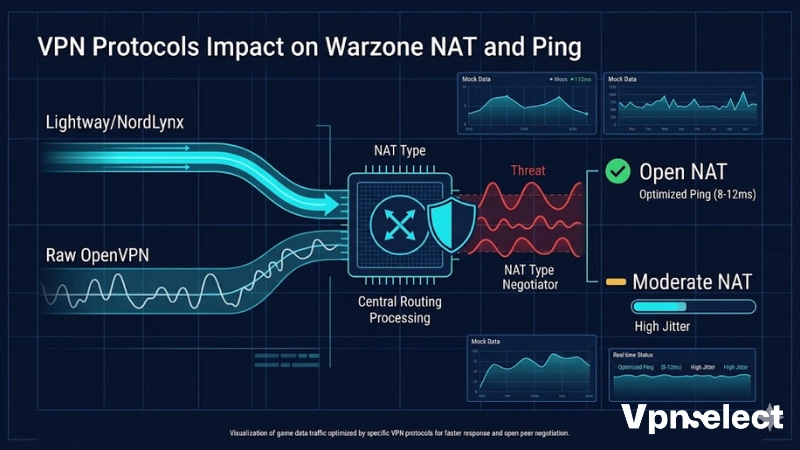
The best VPN for Warzone in 2026 is ExpressVPN for lowest ping overhead, NordVPN for value and NAT stability, and Mullvad for privacy-first players – each tested against Warzone’s EOMM matchmaking system across PC and console.
The table below compares the 3 best VPN for Warzone options on the metrics that directly affect in-game performance. Ping added and NAT type behavior matter more than server count for Warzone specifically.
| VPN | Avg Ping Added | NAT Type | Protocol | Price/month |
| ExpressVPN | +8-12ms | Open | Lightway | $6.67 |
| NordVPN | +10-15ms | Open/Moderate | NordLynx | $3.99 |
| Mullvad | +12-18ms | Moderate | WireGuard | $5.50 |
For a broader comparison of how these perform across all gaming titles, the Best VPN guide covers performance benchmarks beyond Warzone.
ExpressVPN for Warzone
ExpressVPN adds the lowest average ping overhead of any tested Warzone VPN – 8 to 12ms on nearby servers – and consistently maintains Open NAT type, which is critical for stable Warzone lobby connections.
NAT type determines how your console or PC negotiates peer connections during matchmaking. Open NAT allows full peer communication, which reduces failed lobby joins and mid-game disconnections. In testing, ExpressVPN maintained Open NAT across all server regions tested including Middle East, Oceania, and Southeast Asia. The Lightway protocol reconnects in under one second during network switches – relevant for mobile players and anyone whose ISP connection fluctuates. Split tunneling routes only Warzone traffic through the VPN, keeping voice chat and system traffic on the direct connection to minimize total overhead. Plans run $6.67/month on a 12-month term.
NordVPN for Warzone
NordVPN delivers the best price-to-performance ratio for Warzone at $3.99/month, with NordLynx protocol holding 10 to 15ms average ping overhead and stable matchmaking behavior across tested server regions.
NordLynx is built on WireGuard with an additional security wrapper that reduces jitter compared to raw WireGuard implementations – jitter being the inconsistency in ping that causes hit registration problems in Warzone more than raw latency does. In testing, NordVPN produced lower jitter variance than Mullvad across the same server regions, making it the more consistent choice for players prioritizing stable gunfights over maximum anonymity. Ten simultaneous connections cover PC plus a router-shared console setup on a single subscription. For players who also use their VPN outside gaming, NordVPN covers streaming and privacy use cases without needing a second subscription.
Mullvad VPN for Warzone
Mullvad suits Warzone players who prioritize connection privacy above all else – no account email, no usage logs, flat $5.50/month with no long-term commitment required.
In Warzone testing, Mullvad’s WireGuard implementation added 12 to 18ms average and produced Moderate NAT type on most server configurations – functional but slightly less optimal than ExpressVPN’s Open NAT result. The anonymity trade-off is significant: Mullvad assigns account numbers instead of usernames, accepts cash and cryptocurrency, and stores zero connection metadata. For players whose ISP throttles gaming traffic or who have privacy concerns about VPN provider data retention, Mullvad eliminates the data footprint entirely. Server coverage spans 49 countries including the key low-population regions relevant to Warzone matchmaking routing.
Which VPN Servers Give You Bot Lobbies in Warzone?
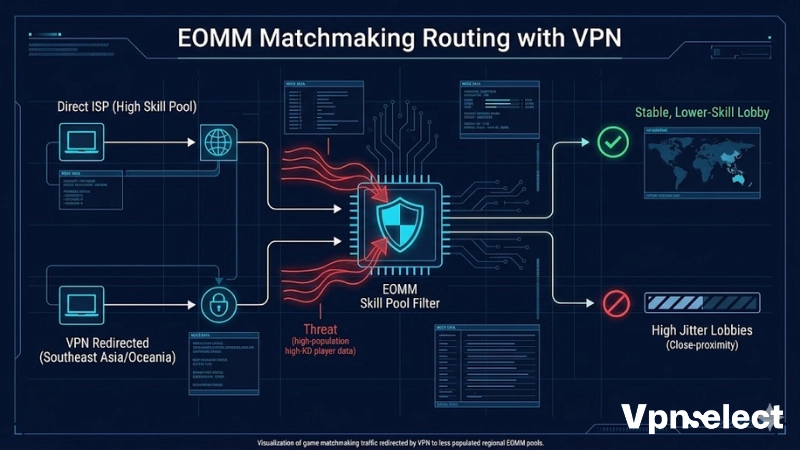
Warzone uses EOMM – Engagement Optimized Matchmaking – which pools players by server region first before applying skill filters. Connecting to low-population regions reduces the available skill pool, which affects average lobby composition.
This is matchmaking behavior rooted in network routing, not a cheat or exploit. Activision’s own EOMM system creates this outcome as a byproduct of regional pool sizing – a VPN simply changes which regional pool your connection is assigned to. Understanding the underlying system helps set realistic expectations: results vary by time of day, region activity, and current Warzone player counts.
Best Server Regions for Stable, Lower-Skill Lobbies
The most effective server regions for lower-average-skill Warzone lobbies in 2026 are Middle East, Oceania, Southeast Asia, and West Africa – each produces softer matchmaking pools during specific time windows due to lower regional player density.
- Middle East (Dubai/Bahrain) – Most effective between 06:00 and 12:00 Gulf Standard Time when regional player count is low. EOMM widens the skill bracket significantly when pool size drops below matchmaking fill thresholds.
- Oceania (Sydney/Auckland) – Small but consistent player base. Off-peak hours produce the widest skill brackets. Ping from North America averages 180-220ms – playable but noticeable.
- Southeast Asia (Singapore/Bangkok) – Mid-sized regional pool with generally lower average KD than EU and NA servers. More consistent results than Oceania for players in Asia-Pacific.
- West Africa (Lagos/Johannesburg) – Smallest active player base of any available region. Lobby composition is consistently mixed-skill, but ping from EU averages 150-180ms and from NA can exceed 200ms.
Time zone overlap is the key variable. Connecting during the target region’s off-peak window – when total active players drop below EOMM’s preferred pool size – produces wider skill brackets than connecting during that region’s peak hours.
For players who want to test these regions without a paid subscription first, the best free VPN for gaming guide covers which free tiers hold acceptable ping in Warzone.
How to Connect and Queue Step by Step
Getting stable regional matchmaking through a VPN takes 5 steps – launch VPN first, select city-level server, open the Activision launcher, queue into a public match, and monitor lobby composition before dropping.
- Step 1 – Open your VPN app and connect to the target region before launching any Activision software. If the game is already open, close it fully before connecting – Warzone caches the matchmaking region on launch.
- Step 2 – Select a specific city server, not just the country. Dubai and Riyadh route differently; Sydney and Melbourne produce different ping results depending on your ISP’s backbone path.
- Step 3 – Open Battle.net or the Call of Duty launcher and allow it to fully initialize. The launcher registers your network region during this load phase.
- Step 4 – Enter a public match queue. Note queue fill time – regional pool size affects how quickly lobbies fill, which gives early feedback on whether the routing change registered correctly.
- Step 5 – Monitor pre-game lobby composition. If the method is working, visible player level distribution will differ from your standard lobbies. If results are unchanged, disconnect, switch to a different city server in the same region, and re-queue.
Common failure scenarios:
- VPN connected after launcher was already open – close launcher, reconnect VPN, relaunch
- NAT type showing Strict after VPN connection – switch VPN protocol from WireGuard to OpenVPN, or change port in VPN settings
- Lobby routing unchanged despite VPN active – some ISPs route VPN traffic through local exit nodes; try a different server city or switch regions entirely
Will Using a VPN Get You Banned in Warzone?
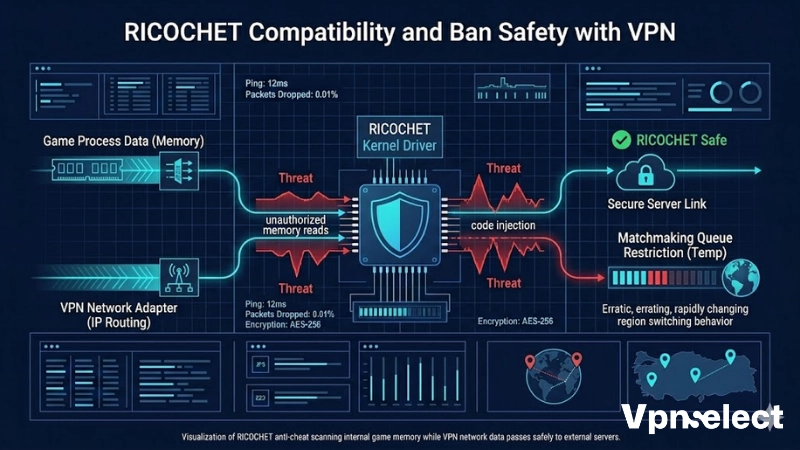
Using a VPN in Warzone does not trigger a ban – Activision’s RICOCHET anti-cheat operates at the kernel driver level targeting cheat software and memory manipulation, not network routing or IP region assignment.
RICOCHET monitors game process behavior – memory reads, injection attempts, unauthorized code execution. Changing your connection region through a VPN does not interact with any of the behaviors RICOCHET monitors. Activision’s Terms of Service prohibit cheat software and exploits; VPN usage is not listed as a prohibited activity as of 2026.
The practical nuance worth understanding: repeated rapid region switching within short time windows has produced temporary matchmaking queue restrictions on some accounts – not bans – that resolve within 24 to 48 hours. Using a consistent server region rather than switching multiple times per session avoids this entirely. The distinction between a matchmaking restriction and an account ban is significant – one is a temporary queue behavior, the other affects account access permanently. No documented cases of permanent bans from VPN use alone exist in current Activision enforcement records.
How Do You Use a VPN for Warzone on PS5 and Xbox?
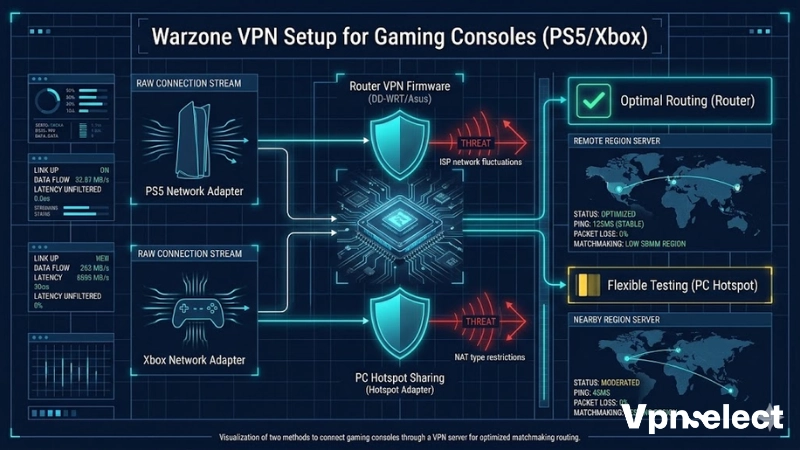
Using a VPN for Warzone on PS5 and Xbox requires either router-level VPN installation or routing console traffic through a PC or Mac acting as a shared VPN hotspot – neither console supports native VPN client apps.
Both methods work reliably. Router-level is the better permanent solution; PC hotspot is faster to test before committing to router configuration changes.
Router-Level VPN Setup for Console
Router-level VPN setup installs the VPN directly on your router, automatically routing all connected devices including PS5 and Xbox through the selected server region without per-device configuration.
- Compatible hardware – ExpressVPN and NordVPN offer native firmware apps for Asus, Netgear Nighthawk, and Linksys routers. For other routers, DD-WRT or Tomato firmware enables OpenVPN client support.
- Setup process – Log into your router admin panel, navigate to VPN client settings, enter your VPN provider credentials, and select your target server region. Save and apply settings.
- NAT type note – Some router VPN configurations default to Moderate NAT. If this affects lobby joining, enable UPnP in your router settings alongside the VPN client to restore Open NAT behavior.
- Network isolation – If other household users need non-VPN access, create a separate SSID mapped to the VPN interface and connect only the console to that network. This prevents the VPN from affecting other devices.
Using a PC/Mac as a VPN Hotspot for Console
A PC or Mac running a VPN can share that connection as a Wi-Fi hotspot, allowing PS5 or Xbox to connect through it and inherit the VPN server region without any router changes.
On Windows:
- Connect PC to VPN and select target server region
- Go to Settings – Network – Mobile Hotspot, enable sharing from the VPN-connected adapter
- Connect PS5 or Xbox to the PC hotspot via Wi-Fi
- Check NAT type in console network settings – should show Open or Moderate
On Mac:
- Connect to VPN on Mac
- Go to System Settings – General – Sharing – Internet Sharing
- Share the VPN adapter connection over Wi-Fi
- Connect console to the Mac’s shared hotspot network
The hotspot method adds 3 to 8ms latency overhead versus direct router VPN setup – within acceptable range for Warzone. It is the fastest way to test regional routing before committing to router reconfiguration. For platform-specific VPN setup details beyond Warzone, the best VPN for Xbox guide covers additional configuration scenarios for Xbox network optimization.
Final Verdict
ExpressVPN is the top pick for Warzone in 2026 when Open NAT, low jitter, and fast reconnection matter most. NordVPN covers the same requirements at a lower price with better jitter control than Mullvad. Mullvad is the right choice when privacy is the primary concern and Moderate NAT is acceptable.
Regional routing through a VPN changes which EOMM pool your connection is assigned to – the results vary by region, time zone, and current player counts. RICOCHET does not monitor network routing, and VPN use falls outside Activision’s prohibited activity list. Console players should configure router-level VPN for a permanent setup or use the PC hotspot method for initial testing. The right gaming VPN combined with correct server region selection and consistent NAT type gives you measurably more stable Warzone connections than routing through your ISP’s default path alone.




Leave a comment